
Introduction
In modern Android customization trends, edge lighting and Always-On Display (AOD) effects have become popular ways to make a smartphone stand out. Whether it’s dynamic lighting around the screen edges or elegant visual effects synchronized to music, Muviz Edge: AOD & Edge Lights brings these features to life without complicated setup.
Designed for users who love personalization and visual flair, Muviz Edge offers dynamic lighting styles, music visualizers, and aesthetic edge animations that appear on your lock screen, home screen, and even while playing videos.
In this review, we’ll explore everything you need to know about Muviz Edge — from design and features to installation, performance, strengths and limitations, practical usage tips, and common questions.
What is Muviz Edge: AOD & Edge Lights App?
Muviz Edge is an Android application that lets users add visually stunning edge lights and Always-On Display effects on their devices. Unlike stock features limited by manufacturer UI, this app brings customizable lighting animations, colorful border effects, and visualizers that can sync with audio or running apps.
Rather than being a tool for system tweaks or hardware optimization, Muviz Edge focuses on visual personalization and user experience enhancements. You can customize how the edge lights glow, react to music, display around screen borders, and offer an aesthetic look even when the phone is idle.
User Interface and Design
Clean and Intuitive Interface
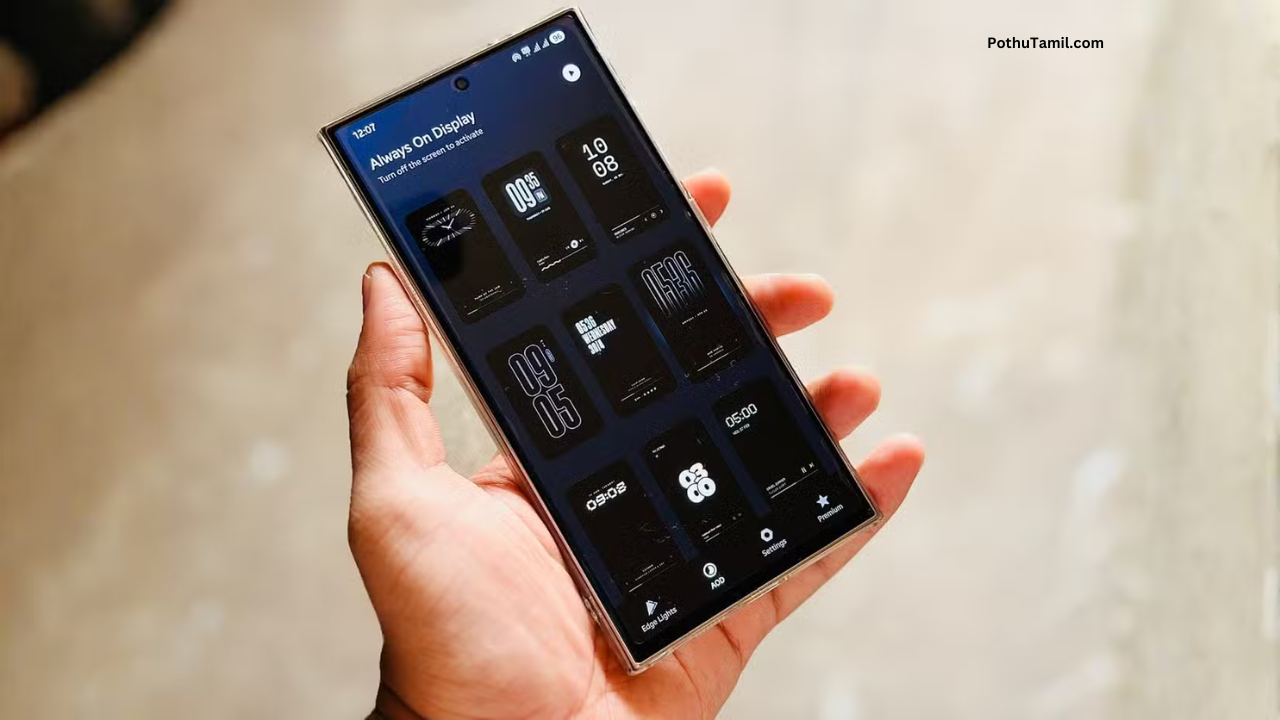
One of the first things users notice about Muviz Edge is its user-friendly layout. The home screen of the app features clearly labeled sections for:
-
Visualizer styles
-
Edge lighting themes
-
Color presets
-
Effect behavior settings
Each category is easy to navigate, allowing even first-time customization users to explore styles without confusion.
Real-Time Preview
When selecting a visualizer or edge lighting style, the app shows a live preview so users can see exactly how the effect will appear on their device before applying it. This reduces guesswork and makes customization more interactive.
Simple Controls for Complex Effects
Despite offering advanced lighting animations, the app keeps controls simple:
-
Sliders for intensity and speed
-
Color pickers
-
Preset galleries
-
Toggle switches
This keeps the learning curve low while giving users granular control.
Core Features Explained
Edge Lights Around Screen Borders
The standout feature of Muviz Edge is the edge lighting effect, which places animated light patterns around the edges of the screen. These can:
-
Pulse with music
-
Glow softly during idle time
-
React to touch
-
Animate on notifications
Users can choose from multiple edge styles like ribbons, waves, neon outlines, and more.
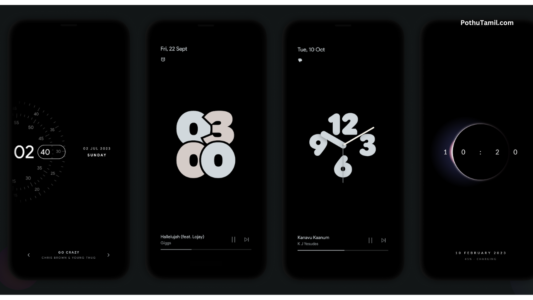
Always-On Display (AOD) Effects
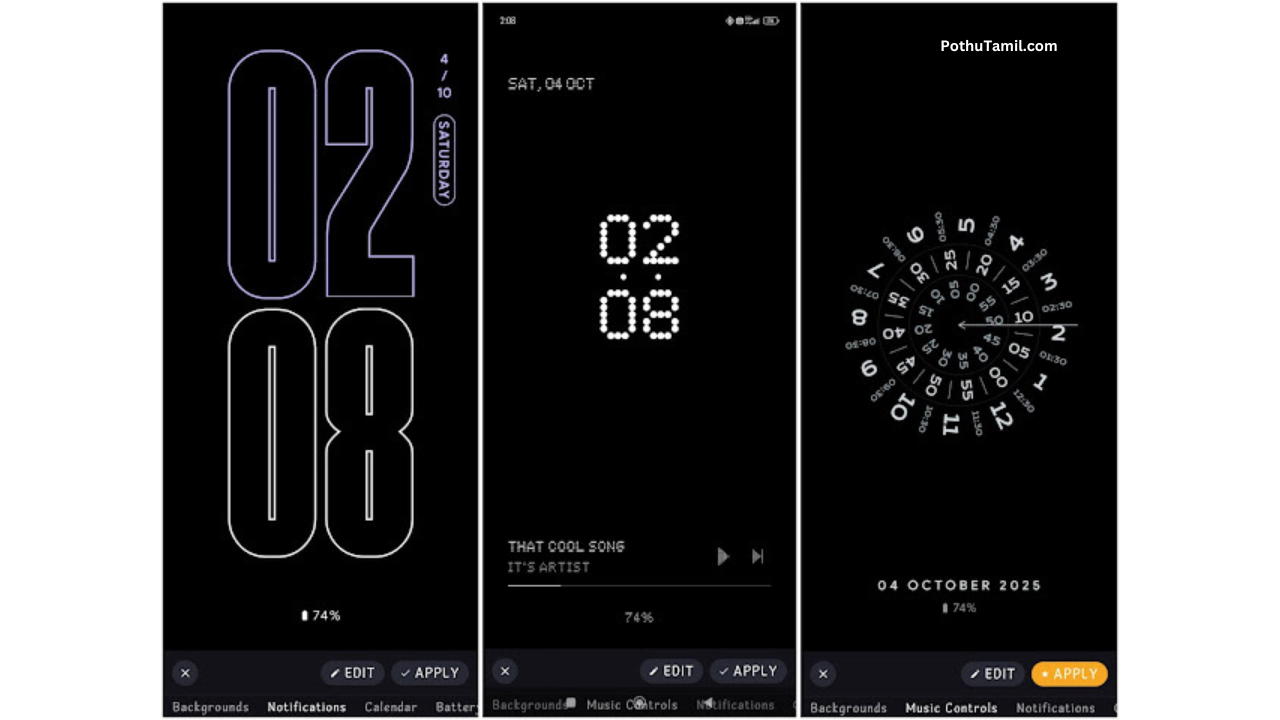
Muviz Edge includes AOD visualizers that appear when the device is locked or idle. These effects can include:
-
Music spectrum bars
-
Glow loops
-
Animated shapes
-
Circular outlines
AOD mode is customizable for battery efficiency and style preferences.
Music and Audio Visualizer Support
When music plays — whether from streaming services, local audio files, or video players — Muviz Edge can generate real-time visual effects that sync with the beat, rhythm, and volume. This transforms the screen into a dynamic light show that complements the audio.
Customization Options
Users have extensive control over:
-
Edge light colors
-
Animation types
-
Glow speed and intensity
-
Placement and thickness
-
Transition effects
Best of all, users can mix and match settings to create unique combinations.
Theme Gallery and Presets
The app includes a library of preset themes featuring modern, minimal, vibrant, and neon styles. Users can apply these instantly or edit them further to suit their mood.
Installation and Setup Guide
Setting up Muviz Edge is straightforward:
-
Open Google Play Store on your Android device.
-
Search for “Muviz Edge: AOD & Edge Lights App”.
-
Tap Install and wait for the installation to complete.
-
Open the app and review the permissions requested (typically display access or overlay permissions).
-
Explore the themes and presets in the home interface.
-
Choose your preferred style and apply it to preview on the screen.
-
Go into settings to adjust speed, intensity, and behavior.
Permissions are essential for visual effects, but the app does not require sensitive access beyond display features.
Experience and Performance
Users generally find Muviz Edge to be smooth and responsive across a variety of Android devices. Even on mid-range phones, light effects render without lag and don’t interfere with normal system use.
Responsiveness
The edge lights and visualizers react in real time to audio, touch, and idle states. Animations are fluid and appear consistent across different resolutions and screen types.
Efficiency
While animated effects could raise concerns about battery usage, Muviz Edge includes settings that help manage performance vs. visual quality. Users can reduce intensity or choose simpler styles to strike a balance.
Compatibility
The app works well on many devices regardless of manufacturer UI (Samsung, Redmi, Realme, Pixel, etc.). AOD effects may differ slightly depending on the device’s power-saving features, but core animations work across most Android setups.
Muviz Edge App Specifications Table
| Feature | Details |
|---|---|
| Platform | Android |
| App Type | Visual Effects & Personalization |
| Main Functions | Edge Lights, AOD Effects, Music Visualizers |
| Preset Themes | Yes |
| Customization Options | Extensive |
| Overlay/Display Permission | Required |
| Suitable For | Customization lovers, visual personalization |
| Battery Management Options | Yes |
| Cost | Free + optional premium features |
Practical Usage Tips
To get the best experience with Muviz Edge:
Use in Ambient Lighting
Effects look most vibrant in low or moderate light conditions. Bright sunlight may reduce visibility.
Adjust for Battery Usage
If your device shows high battery usage by animations, reduce intensity or switch to simpler modes during long days.
Sync with Music Apps
Try syncing edge lights with different music apps (like YouTube Music, Spotify, etc.) to see how animations react uniquely.
Explore Presets First
Start with built-in themes — they save time and introduce you to what’s possible before customizing deeply.
Advantages of Muviz Edge
Muviz Edge stands out for several reasons:
-
Vivid visuals that enhance user experience
-
Real-time music syncing
-
Extensive customization
-
Live previews before applying effects
-
Works well on most Android devices
Limitations to Consider
No app is perfect, and Muviz Edge has some limitations:
-
Some visual styles may not appear on all lock screens due to manufacturer restrictions.
-
Always-On Display behavior might vary across Android versions.
-
Certain advanced effects may require premium upgrades (optional).
Even with these limitations, most users find the app robust and enjoyable for personalization.
Frequently Asked Questions (FAQs)
1. Does Muviz Edge work with all Android phones?
Yes, the app is designed for Android devices broadly. However, some lock screen or AOD features may behave differently depending on manufacturer restrictions.
2. Do I need internet to use the app?
No. Most core functionalities (edge lighting, themes, and presets) work offline. Internet may be needed to download additional theme packs.
3. Can I customize the colors and animations?
Absolutely. Muviz Edge offers extensive customization, including color pickers, speed controls, thickness adjustments, and placement options.
4. Does it drain battery quickly?
Animated effects use more power than static screens, but the app includes settings to reduce intensity or simplify animations to manage battery usage.
Conclusion
The Muviz Edge: AOD & Edge Lights App is a powerful personalization tool for Android users who enjoy visual flair and customization. From dynamic edge lighting to music-synced animations and Always-On Display effects, the app brings a new layer of personality to your device.
Easy setup, extensive customization options, and smooth performance make Muviz Edge suitable for both novice users and personalization enthusiasts. Whether you want subtle lighting or vibrant effects that react to music, this app is a fun and engaging way to enhance your smartphone experience.
Explore its presets, create your own styles, and make your device truly stand out.
Darshan