
Introduction
Mirror selfies are one of the easiest ways to create stylish personal photographs, but simple lighting and ordinary backgrounds can sometimes make the final image look less polished. AI photo editing makes it possible to enhance a mirror selfie with warmer lighting, cozy colors, atmospheric backgrounds, and subtle photographic effects without requiring advanced editing skills. This has made ai photo editing prompts increasingly useful for people who want to experiment with trending portrait styles.
A golden-glow and cozy-vibes edit can give a mirror selfie a warm, relaxed, lifestyle-photography appearance. Instead of completely changing the photograph, the goal is usually to improve the lighting, mood, color balance, and surrounding atmosphere while keeping the original person and composition recognizable.
What Is a Golden Glow Mirror Selfie Edit?
A golden-glow mirror selfie edit focuses on creating warm illumination similar to soft evening sunlight or indoor ambient lighting. The effect can make skin tones appear warmer, add subtle highlights, and create a more comfortable visual atmosphere.
The “cozy vibes” element generally comes from warm color grading, soft shadows, comfortable interior backgrounds, subtle decorative details, and a relaxed overall mood. Depending on the AI editing tool, users can create anything from a minimal bedroom aesthetic to a sophisticated lifestyle portrait.
The most convincing results usually avoid excessive effects. A subtle warm glow can make an image look naturally enhanced, while extreme brightness or heavy filters can make the photograph appear artificial.
Why AI Photo Editing Prompts Are Useful
AI photo editing prompts allow users to describe a desired transformation using natural language. Instead of manually adjusting exposure, temperature, highlights, shadows, saturation, and other settings, users can explain the overall aesthetic they want the editing system to create.
For a mirror selfie, an effective instruction can focus on maintaining the original pose and identity while changing the atmosphere around the subject. This is especially useful for beginners who want creative results without spending significant time learning professional editing software.
A good prompt should communicate the intended style clearly rather than simply listing a large number of unrelated effects.
Popular Golden Glow Styles
Warm Bedroom Aesthetic
A soft indoor setting with warm lamps, neutral colors, gentle shadows, and subtle ambient lighting can create a relaxed bedroom aesthetic. This works particularly well with casual mirror selfies and everyday outfits.
Sunset Golden Light
A sunset-inspired effect can introduce warm golden highlights and a soft glow around the subject. When handled carefully, it can create the appearance of natural evening light without dramatically changing the original photograph.
Cozy Café Mood
For a more lifestyle-oriented look, AI editing can create a warm café-inspired atmosphere with soft lighting, muted colors, and subtle background details. The key is keeping the subject’s lighting consistent with the new environment.
Minimal Luxury
A cleaner interior, warm neutral palette, controlled lighting, and subtle reflections can produce a more sophisticated mirror-selfie aesthetic. This style can work well for fashion, lifestyle, and social-media photography.
Elements to Include in an AI Editing Workflow
A strong AI editing workflow should focus on a few important visual characteristics instead of trying to modify everything simultaneously.
Consider the lighting first. Warm illumination should complement the original photograph rather than completely replacing it. Color grading can then be adjusted toward golden, cream, beige, or other warm tones.
Background details can add atmosphere, but they should remain believable. Soft curtains, warm lamps, wooden furniture, neutral walls, or subtle decorative elements can create a cozy environment without distracting from the subject.
Most importantly, the person’s facial features, body proportions, hairstyle, clothing, and original pose should remain consistent unless the user specifically wants those elements changed.
Prompt
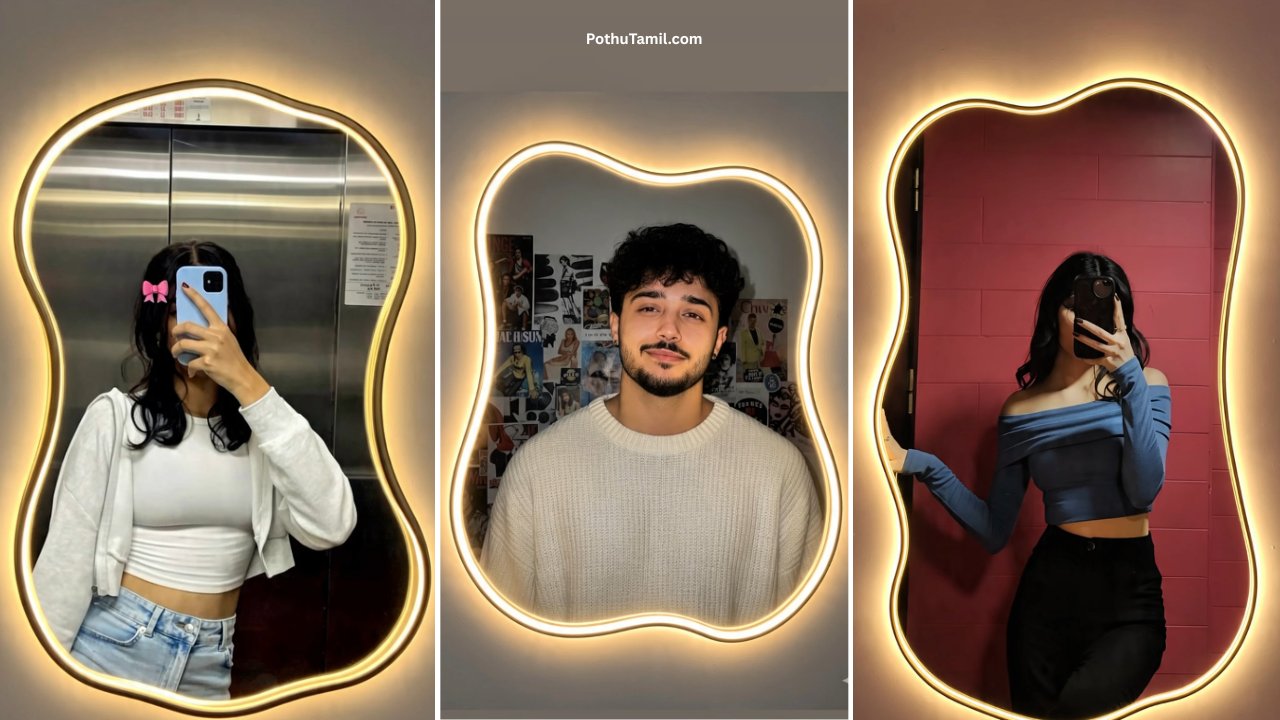
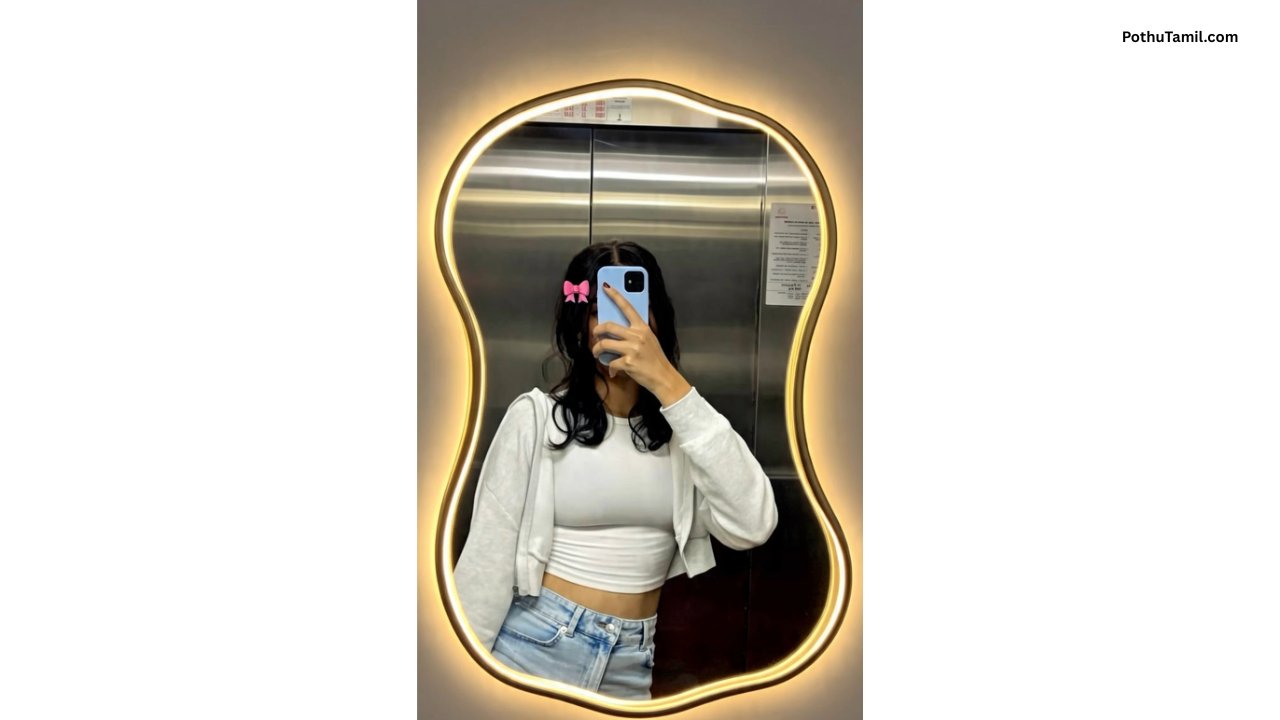
Transform the uploaded mirror selfie into a luxury LED mirror portrait replace the existing motor frame with an element irregular organic shape mirror featuring a soft warm golden led backlight glow around e entire edge keep the subject same
Keeping the Mirror Selfie Realistic
AI editing can occasionally create unwanted changes to reflections, hands, phones, clothing patterns, or facial details. Mirror selfies can be particularly challenging because the system needs to maintain both the person and the reflected composition.
Users should carefully check the final image for unusual reflections, duplicated objects, distorted fingers, inconsistent accessories, or unrealistic background elements.
A realistic edit generally looks better when the AI enhances the existing photograph rather than completely rebuilding it.
AI Editing Software vs Manual Editing
Professional photo-editing applications provide detailed control over individual adjustments. Users can manually refine temperature, exposure, shadows, highlights, curves, color grading, and other elements.
AI editing is faster for people who want to communicate an overall aesthetic without manually adjusting every setting. It can also be useful for generating creative variations before making final corrections in conventional editing software.
| Editing Approach | Advantage | Suitable For |
|---|---|---|
| AI photo editing | Fast style transformation | Beginners and casual creators |
| Manual editing | Precise adjustments | Professional workflows |
| AI + manual editing | Creative speed and final control | Advanced users |
The best option depends on the amount of control required and how polished the final image needs to be.
Free and Premium AI Photo Editing Tools
Many AI photo-editing platforms offer basic features for free and reserve advanced tools for premium plans. Paid features may include higher-resolution exports, additional editing capabilities, greater usage limits, faster processing, or access to more sophisticated styles.
Before subscribing, users should compare the actual features, export quality, pricing, and usage limits. Someone editing occasional social-media photographs may not need the same plan as a professional creator producing images regularly.
| Feature | Free Access | Premium Access |
|---|---|---|
| Basic AI editing | Often available | Included |
| Advanced effects | May be limited | Usually expanded |
| Export resolution | May have restrictions | May offer higher resolution |
| Usage limits | Often lower | Usually increased |
Feature availability and pricing vary by platform, so users should check the current terms before making a purchase.
Privacy and Photo Security
Personal photographs should be handled carefully when using online AI editing services. Before uploading a mirror selfie, users should review the service’s privacy information and understand how images may be processed, stored, or deleted.
It is also better to use reputable services and avoid uploading unnecessary personal information. Users should be particularly cautious with unfamiliar websites that request excessive permissions, unknown downloads, or unrelated account information.
Creators using edited photographs for business, advertising, or commercial projects should also review the platform’s licensing and commercial-use terms.
Tips for Better Golden Glow Results
Start with a clear mirror selfie that has reasonably good lighting. A sharp source photograph gives an AI editor more useful visual information and can help preserve facial and clothing details.
Keep the requested color palette consistent. Warm beige, cream, soft brown, amber, and gentle golden tones can work together to create a cohesive cozy appearance.
Avoid requesting extremely strong glow, excessive blur, or dramatic skin smoothing. These effects can remove natural detail and make the photograph look less realistic.
Finally, compare the finished version with the original image. The best edit should enhance the photograph while retaining the qualities that made the original selfie recognizable.
Final Verdict
Mirror selfie golden glow + cozy vibes is a versatile aesthetic for anyone looking to give an ordinary photograph a warmer and more polished appearance. With the right ai photo editing prompts, users can experiment with golden-hour lighting, cozy interiors, café-inspired moods, minimal luxury styles, and other lifestyle photography concepts.
The strongest results usually come from subtle editing rather than excessive transformation. Preserve the original subject, pose, facial characteristics, clothing, and realistic reflections while using AI to improve lighting, color, atmosphere, and background presentation.
Before choosing an AI editing service, consider image quality, export resolution, premium features, pricing, privacy practices, and commercial-use permissions. AI tools can make creative photo editing considerably easier, but reviewing the final image remains important to catch unrealistic details.
Overall, golden-glow and cozy-vibe editing is a simple way to turn an everyday mirror selfie into a more polished lifestyle photograph without requiring advanced professional editing skills.
Love
Love