

Hidden spy apps for Android are applications associated with monitoring smartphone activity, tracking device usage, and collecting information about how a phone is used. Depending on the software, monitoring features may include location tracking, app usage reports, screen-time information, and device activity logs. These tools are sometimes marketed for parental supervision, employee device management, or personal device security, but their capabilities and privacy implications can vary significantly.
Understanding how Android monitoring applications work is important before choosing a tool. Some apps provide transparent parental controls or authorized device management, while others attempt to collect information without the device user’s knowledge. The distinction matters because covert monitoring can expose private messages, location information, photographs, and other sensitive data.
What Are Hidden Spy Apps for Android?
Hidden spy apps for Android are applications designed or marketed to monitor activity on an Android smartphone, sometimes with limited visibility to the person using the device. Depending on their capabilities, they may collect information about device location, application usage, browsing activity, or other phone functions.
Not every monitoring application is genuinely invisible. Android includes permission controls, privacy indicators, background-activity restrictions, and security features that can limit or reveal certain monitoring behavior.
Legitimate parental-control and device-management applications generally provide clear setup instructions, permission disclosures, and account controls. Software that secretly records another person’s communications or collects personal information without authorization presents different legal and security risks.
How Do Android Monitoring Apps Work?
Android monitoring applications may rely on operating-system permissions, background services, device-management features, or connections to a cloud dashboard. The available functionality depends on the Android version, device manufacturer, application permissions, and the software’s design.
For example, a parental-control application may report screen time and installed applications after a parent configures it. A company-managed device may use mobile device management software to enforce security policies and manage work applications.
More intrusive software may attempt to access sensitive information or conceal its activity. Such behavior can put personal data at risk, particularly when the application comes from an untrusted source.
Common Features of Phone Monitoring Software
Monitoring tools can provide several different functions, depending on their intended use. Location reporting can help families coordinate or locate a device, while screen-time reports can show how much time is spent using particular applications.
Some parental-control products provide website filtering, app restrictions, scheduled device downtime, and usage summaries. Business device-management systems may instead focus on device inventory, security compliance, remote configuration, and protection of company information.
Features involving messages, calls, microphones, cameras, or detailed browsing activity are substantially more privacy-sensitive. Users should verify exactly what an application collects rather than assuming that every advertised feature is available or appropriate for their situation.
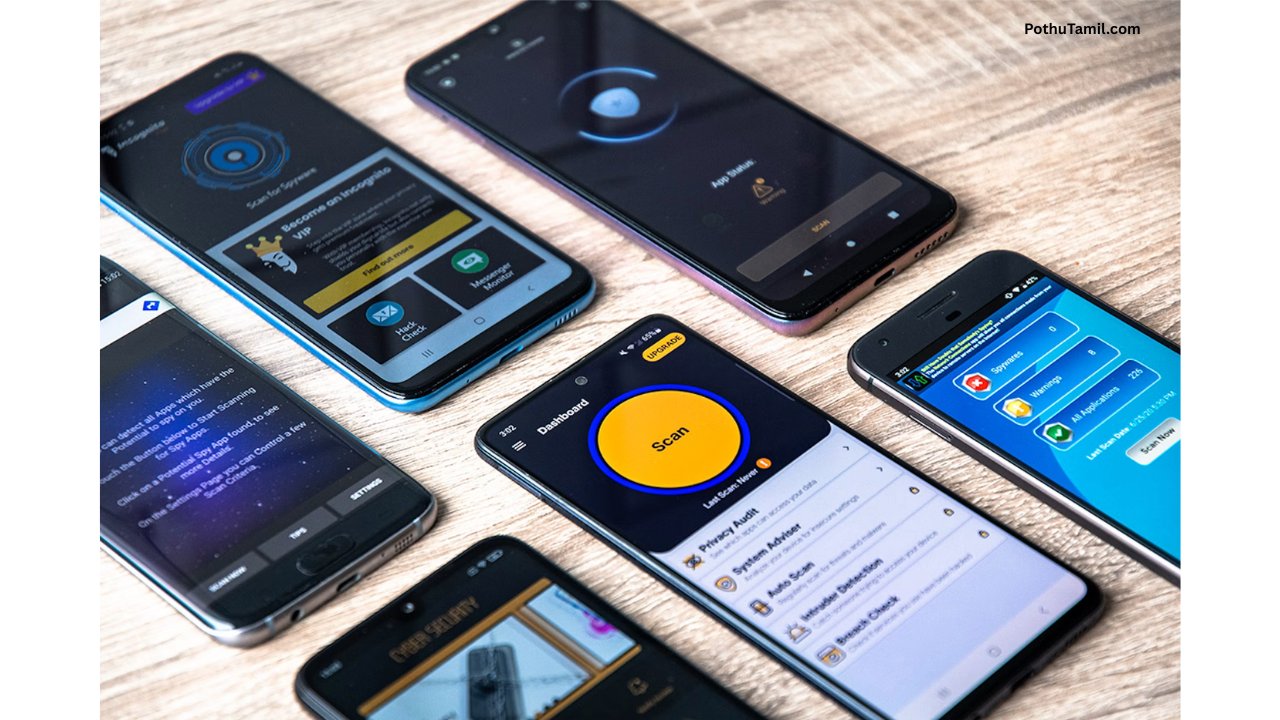
Android Parental Control Apps
Parents who want to supervise a child’s device have options that provide visibility and safeguards without relying on secret monitoring.
Google Family Link allows parents to manage supported child accounts, review screen time, set app limits, and configure certain content restrictions. Its features are designed for parental supervision rather than covert surveillance.
Other family-safety services may offer location sharing, content filtering, or additional usage reports. Before installing any service, parents should review its supported devices, permissions, subscription terms, and age-related requirements.
Employee Monitoring and Android Device Management
Businesses sometimes need to manage Android devices used by employees. In these situations, mobile device management (MDM) software can help organizations enforce security policies, configure work applications, and protect company data.
Enterprise products such as Microsoft Intune and other endpoint-management platforms support different device-management scenarios depending on licensing, enrollment, and configuration. These systems are generally more appropriate for managing authorized company devices than using a consumer spy app.
Employers should establish clear policies explaining what is monitored, why it is necessary, and which information is accessible to administrators. Applicable employment, privacy, and data-protection laws must also be considered.
Hidden Spy Apps vs Legitimate Monitoring Software
The main difference between legitimate monitoring tools and covert spyware is not simply whether an app appears on the home screen. It is also how the software is installed, what information it collects, whether the device user has appropriate notice, and whether the monitoring is authorized.
Legitimate parental-control and business-management tools generally provide documented features, permission information, account controls, and support resources. Covert spyware may attempt to conceal itself, collect excessive information, or send private data to another person without authorization.
For personal safety and security, it is better to choose transparent tools with clearly defined permissions instead of software that promises unrestricted access to another person’s phone.
Are Hidden Spy Apps for Android Legal?
The legality of phone-monitoring software depends on the circumstances, the information being collected, the relationship between the people involved, and the laws that apply.
Monitoring a device you own or managing a child’s device through appropriate parental controls may be lawful in many situations, subject to applicable rules. Secretly accessing another adult’s private communications, tracking their location without authorization, or recording them without the required consent may violate privacy or other laws.
Businesses should also follow applicable workplace monitoring and data-protection requirements. When in doubt, review local legal requirements and use a solution that provides appropriate notice and authorization.
How to Protect an Android Phone From Spy Apps
Android users can take several steps to reduce the risk of unwanted monitoring. Reviewing installed applications and their permissions can help identify software that has access to sensitive information without a clear reason.
Users should pay particular attention to Accessibility access, notification access, location permissions, device administrator privileges, and permission settings for the microphone and camera. The precise menus vary across Android versions and manufacturers.
Google Play Protect can also help detect potentially harmful applications. Keeping Android updated, avoiding unknown app downloads, securing the Google account, and using a strong screen lock can further improve device security.
If you suspect that someone is monitoring your phone, consider reviewing account sessions and location-sharing settings from a trusted device. If the suspected monitoring involves an abusive partner or another person who may retaliate, avoid making sudden changes until you have considered your personal safety and obtained trusted support.
Free vs Paid Android Monitoring Apps
Some parental-control and device-management services offer free features, while others require a subscription for additional reporting, location features, content filtering, or centralized administration.
Paid enterprise tools may also charge according to the number of managed devices or the features included in a business plan. Pricing and availability can change, so users should check the provider’s official website before subscribing.
A paid application is not automatically safer or more effective than a free one. Privacy policies, security practices, permissions, transparency, and the provider’s reputation are more important considerations when evaluating monitoring software.
Conclusion
Hidden spy apps for Android cover a broad range of monitoring technologies, from legitimate parental controls and enterprise device management to intrusive spyware that can compromise personal privacy. Understanding the differences can help users choose appropriate tools for family safety, authorized device administration, or personal security.
For parental supervision, tools such as Google Family Link provide transparent ways to manage screen time and application access. Businesses can consider enterprise mobile device management software for authorized work devices, while Android users should regularly review permissions and security settings to detect unwanted monitoring.
Ultimately, hidden spy apps for Android should be evaluated carefully based on their purpose, permissions, transparency, and legal implications. Choosing reputable software and respecting the privacy of device users can help balance monitoring needs with digital security.
Abi