
Introduction
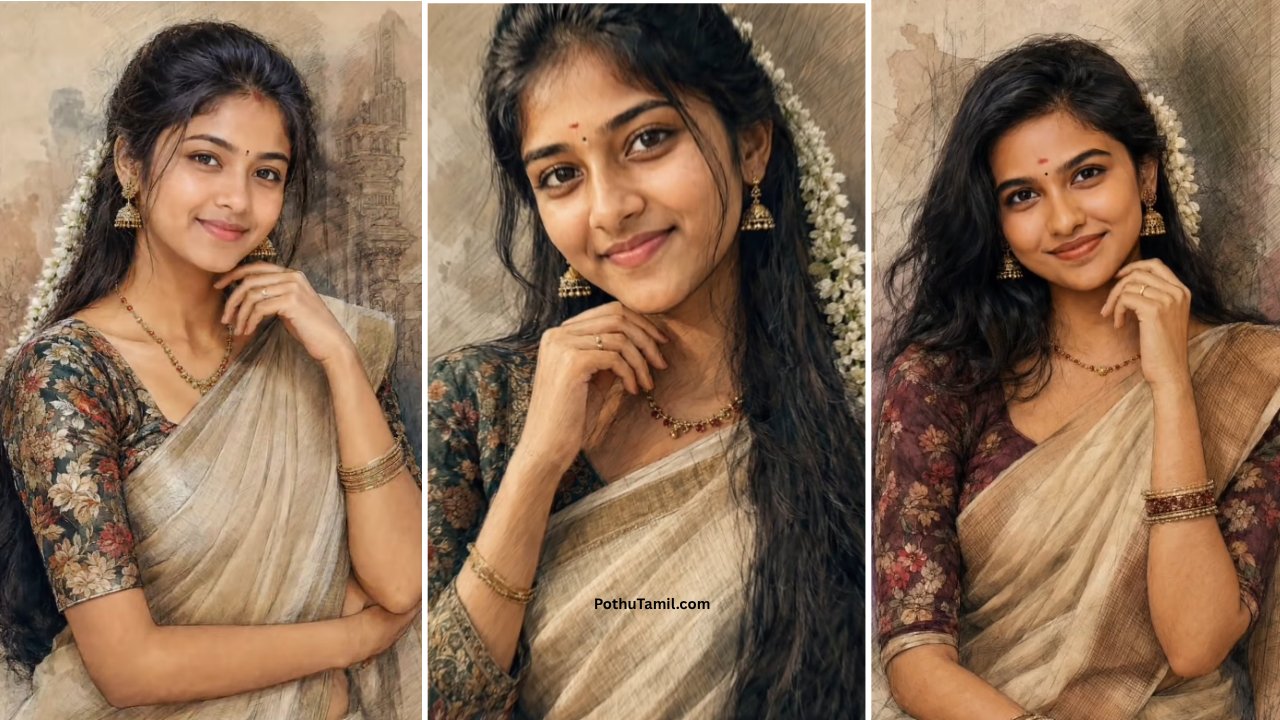
AI photo editing has made artistic photo transformations much easier, especially for users who want to turn ordinary photographs into creative digital artwork. One of the popular styles is the digital watercolor effect, which combines the appearance of traditional watercolor painting with the detail and flexibility of modern AI image-editing tools. An AI photo editing prompt can help users describe the desired watercolor appearance without manually adjusting numerous editing settings.
Digital watercolor editing can be used for portraits, couple photographs, family pictures, travel memories, profile images, and social-media content. Instead of applying a basic filter, an AI editor can potentially reinterpret the photograph with painted textures, soft color transitions, artistic brushwork, and a more handcrafted appearance while retaining important elements of the original image.
What Is a Digital Watercolor AI Photo Edit?
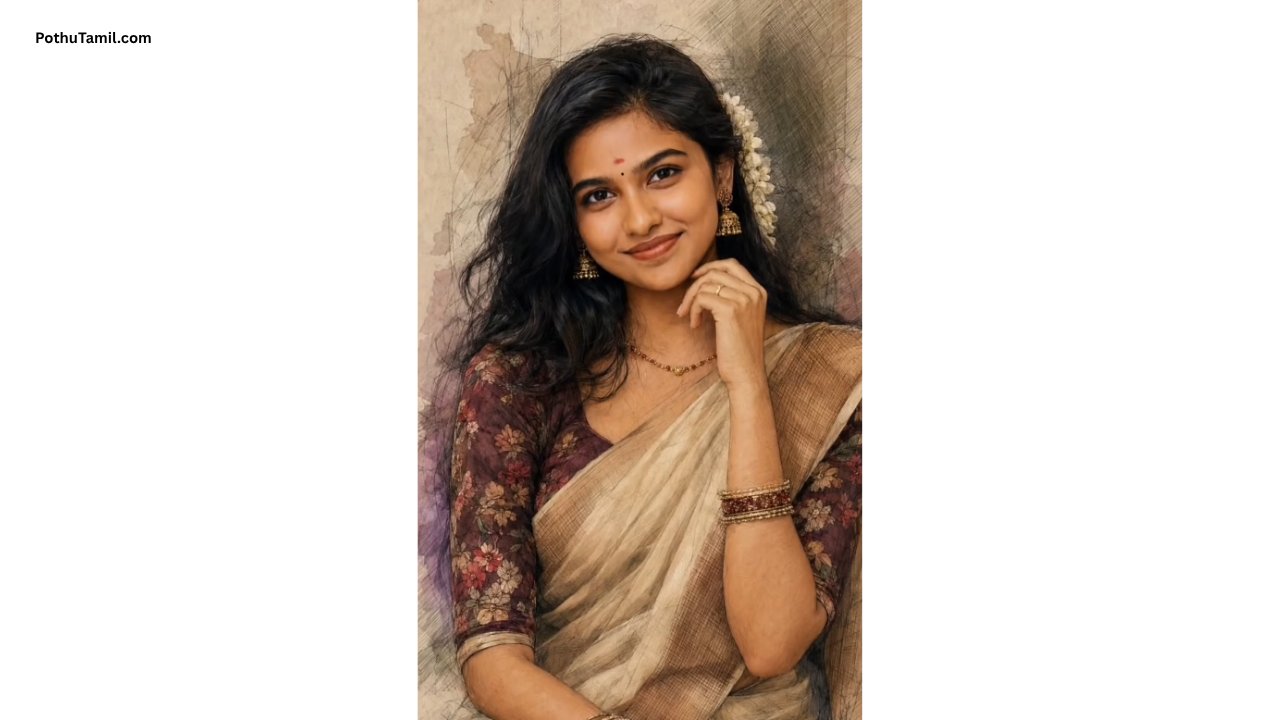
A digital watercolor AI photo edit transforms an existing photograph into an artwork inspired by watercolor painting. The editing process can introduce soft brush textures, flowing color, subtle paper-like details, gentle outlines, and artistic shading while attempting to preserve the subject and composition of the original photograph.
The final result depends on the AI image editor, the quality of the source photograph, and the instructions provided through the prompt. A clear image with good lighting and visible subject details generally gives the editing system more useful information to work with.
Why Use an AI Photo Editing Prompt?
An AI photo editing prompt gives users a convenient way to communicate the desired visual style using ordinary language. Instead of manually selecting multiple filters, textures, color adjustments, and artistic effects, users can describe the overall appearance they want the AI editor to create.
For a watercolor transformation, the instruction can focus on characteristics such as soft brushwork, natural colors, delicate shading, paper texture, artistic edges, and preservation of the original subject. This makes the workflow particularly attractive to beginners who want creative results without learning a professional photo-editing application.
Key Features of a Good Watercolor Edit
A successful watercolor transformation usually depends on maintaining a balance between the original photograph and the artistic effect. If the effect is too strong, important facial or clothing details may disappear. If it is too subtle, the result may look more like an ordinary filtered photograph than watercolor artwork.
Soft Artistic Texture
Watercolor artwork is known for flowing pigment, gentle transitions, and visible brush characteristics. A suitable AI editing workflow can recreate these qualities while keeping the main subject recognizable.
Natural Color Treatment
Watercolor effects often work well with slightly softened colors rather than extremely saturated tones. Maintaining a balanced palette can make the finished image appear more like a painted artwork.
Detail Preservation
For portraits, preserving facial structure, hair, clothing, and important background elements can make the result more visually convincing. The AI should enhance the artistic appearance without unnecessarily changing the person’s recognizable characteristics.
Digital Watercolor for Different Photos
The style can work differently depending on the photograph. Portraits may benefit from soft facial shading and delicate backgrounds, while landscapes can take advantage of broader brush textures and atmospheric color transitions.
Couple photographs can also be transformed into watercolor-style artwork suitable for wallpapers, digital albums, greeting designs, or social-media posts. Family photographs may similarly benefit from a softer artistic appearance that gives an ordinary picture a more creative presentation.
AI Editing Software vs Traditional Photo Editing
Traditional photo-editing software gives users detailed control over layers, masks, brushes, color correction, textures, and other individual elements. This is valuable for professional designers who need precise control over the final artwork.
AI editing provides a more accessible alternative for users who want to describe an artistic transformation without manually performing every step. The two approaches can also be combined: an AI tool can create the initial watercolor transformation, followed by manual adjustments in professional editing software.
| Editing Method | Main Advantage | Suitable For |
|---|---|---|
| AI photo editor | Fast creative transformation | Beginners and casual users |
| Professional editing software | Detailed control | Designers and advanced users |
| AI + manual editing | Speed with refinement | More polished artwork |
The best choice depends on how much control and customization the user requires.
Image Quality and Export Options
Image resolution becomes important when the finished artwork is intended for printing, wallpapers, portfolios, or high-quality digital publishing. Some AI editing platforms may limit resolution or export functionality on free plans while providing higher-quality output through premium options.
Before choosing an AI photo-editing service, users should check available resolution, export formats, image-processing limits, and whether commercial use is permitted under the provider’s current terms. These details can be especially important for creators and businesses using AI-generated artwork commercially.
Free and Premium AI Photo Editing
Many AI image-editing services offer a combination of free and paid functionality. Basic transformations may be available without payment, while higher-resolution exports, additional editing capabilities, increased generation limits, or advanced controls may require credits or a subscription.
| Consideration | Free Access | Premium Access |
|---|---|---|
| Basic editing | Often available | Included |
| Advanced styles | May be limited | May be expanded |
| Export quality | May have restrictions | May offer higher resolution |
| Usage limits | Usually lower | Typically expanded |
Pricing and available features can change, so users should check the current plan details before purchasing an AI editing subscription.
Privacy and Safe AI Photo Editing
Privacy is important whenever personal photographs are uploaded to an online AI editing service. Before using a platform, users should review its current privacy policy and understand how uploaded images are processed, stored, or deleted.
It is generally best to upload photographs that you own or have permission to edit. Users should also avoid providing unnecessary personal information and should be cautious when using unfamiliar AI websites that request excessive permissions or downloads.
For professional photographs, businesses and creators should additionally review the service’s licensing and commercial-use terms before using the generated artwork in advertisements, products, websites, or other commercial projects.
Tips for Better Watercolor Results
The source photograph has a significant effect on the final result. Clear images with good lighting and a well-defined subject generally provide better material for an AI editing system to transform.
It is also useful to decide on the artistic direction before editing. A soft pastel watercolor, detailed illustration, vintage paper painting, or vibrant contemporary watercolor can produce very different results. Keeping the desired style consistent can make the final artwork more coherent.
Avoid expecting every photograph to produce an identical result. AI editing is generative, so variations can occur even when the same basic instructions are used.
Is Digital Watercolor AI Editing Worth Trying?
For users who enjoy creative photo customization, digital watercolor editing is an accessible way to experiment with artistic photography. It can turn everyday photographs into artwork suitable for digital sharing, personal collections, wallpapers, and creative projects.
The main advantage is convenience. Users can explore artistic styles without needing advanced painting or photo-editing skills. However, people seeking professional-grade consistency may still prefer a workflow that combines AI generation with manual editing and quality control.
Final Verdict
A Trending Digital Watercolor AI Photo Editing Prompt is a useful concept for anyone interested in transforming ordinary photographs into watercolor-inspired digital artwork. The approach combines the convenience of AI image editing with the visual character of traditional watercolor painting.
For the best results, pay attention to the original image quality, desired artistic style, facial and subject detail preservation, output resolution, privacy practices, and commercial-use terms. Free AI editors can be useful for experimentation, while premium tools may provide additional controls or higher-quality exports for more demanding projects.
Overall, digital watercolor AI editing is worth exploring for personal photography, creative content, wallpapers, portraits, and digital artwork. The strongest results usually come from treating the AI editor as a creative tool rather than expecting it to replace every part of a professional editing workflow.