
Introduction
In an age when our smartphones store highly personal information — messages, photos, banking apps, personal browsing history, social media, and more — protecting apps and data has become essential. While Android offers built-in lock options, users often want more flexibility and additional security features. That’s where App Lock – Ultra Applock comes in.
App Lock – Ultra Applock is a security application designed to help Android users lock and protect apps, settings, and personal information using PINs, patterns, or fingerprints. It adds a sophisticated layer of dynamic security that goes beyond the default device lock.
This in-depth review will cover its interface, features, setup, usability, performance, benefits, limitations, and more — giving you everything you need to decide whether this app suits your needs.
What is App Lock – Ultra Applock?
App Lock – Ultra Applock is a security and privacy utility for Android devices. Its core function is to secure apps and sensitive content with additional lock methods — including PIN, pattern, and fingerprint — ensuring that even if someone gains access to your unlocked phone, they still won’t be able to open protected apps.
Unlike a system-wide lock screen, this app gives users control over selected apps, folders, and device settings, allowing custom permission setups for different applications.
Why Use an App Lock?
Before diving into features, it’s helpful to understand why users choose an app lock:
-
Protect private conversations (messages, chats)
-
Prevent unauthorized app access
-
Keep gallery and media safe
-
Secure banking and financial apps
-
Limit access for children or friends
-
Add extra safety for public or shared device usage
App Lock – Ultra Applock delivers all these without requiring advanced technical knowledge.
User Interface and Design
Simple and Clean Layout
The first impression of Ultra Applock is its clear and simple layout. The main dashboard displays:
-
A list of installed apps
-
A toggle to lock individual apps
-
A lock status indicator
-
Settings and security options
The organized structure makes it ideal for users of all ages.
Lock Categories
Apps can be grouped automatically based on usage categories like:
-
Social apps
-
Banking apps
-
Media/video apps
-
System apps
This helps in selecting which apps should be locked quickly, especially for new users.
Guidance for First-Time Users
When you open the app for the first time, a short guide — often in the form of on-screen hints — helps you configure the basic lock method without confusion.
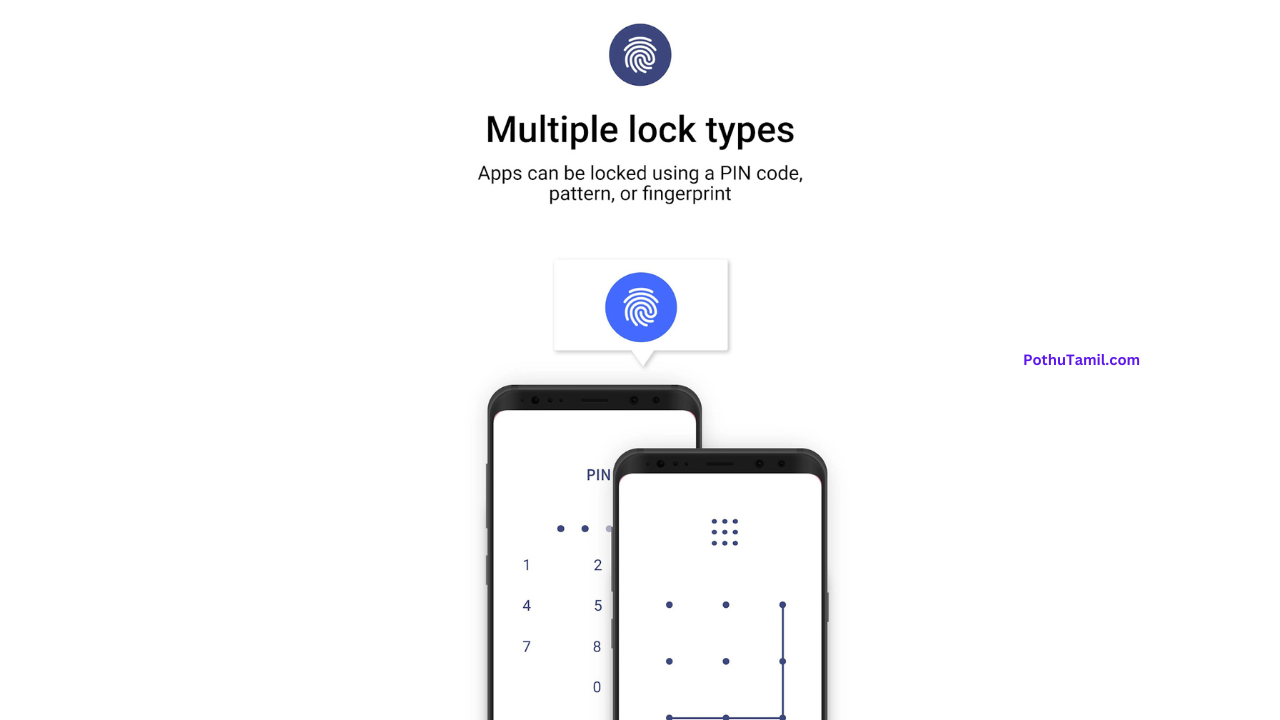
Core Features Explained
App Lock Protection
The main feature of Ultra Applock is its ability to protect apps individually. Users can select which apps to lock, and once protected, those apps will ask for:
-
PIN
-
Pattern
-
Fingerprint (if supported by device)
before they open.
This means even if the phone is unlocked, protected apps remain unreachable without authorization.
Secure Lock Methods
App Lock – Ultra Applock supports multiple lock options:
-
Numeric PIN code — secure and easy to remember
-
Pattern lock — quick and tactile
-
Fingerprint lock — for devices with biometric sensors
Users can choose their preferred method based on convenience and security needs.
Photo and Media Vault
In addition to app protection, Ultra Applock also includes a vault for photos and media. Users can move selected images and videos into this secure vault, hiding them from the gallery and making them accessible only through the app with the chosen lock method.
This feature is especially useful for users who want an extra layer of privacy for personal media.
Block Uninstallation
A useful security feature is the option to prevent app uninstallation unless a correct lock method is entered. This helps stop unauthorized users from removing the security app itself.
Custom Lock Settings Per App
Not all apps need the same level of security. Ultra Applock allows users to:
-
Lock some apps only in specific circumstances
-
Set different lock methods for different apps
-
Choose auto-lock delay (e.g., instant, 10 seconds, 30 seconds)
This helps balance security and convenience.
Installation and Setup Guide
Step-by-Step Guide
-
Open Google Play Store
-
Search for “App Lock – Ultra Applock”
-
Tap Install and wait for completion
-
Open the app
-
Grant required permissions (access to display over other apps)
-
Set your PIN/Pattern/Fingerprint
-
Choose apps you want to protect
-
Customize additional settings
The setup usually takes under five minutes and the on-screen guidance helps make it straightforward, even for beginners.
Performance and Reliability
When evaluating performance, users typically look at:
-
Speed
-
Responsiveness
-
Resource usage
-
Compatibility
Ultra Applock performs well on most modern Android phones. It doesn’t slow down app launches noticeably, and once apps are locked, they prompt for unlock immediately.
The app’s memory footprint is minimal, so it won’t slow your device even if running in the background. It’s also compatible with major Android versions and works with popular apps such as WhatsApp, Instagram, Facebook, banking apps, and more.
App Lock – Ultra Applock Specifications Table
| Feature | Details |
|---|---|
| Platform | Android |
| App Type | Security & Privacy Utility |
| Lock Methods | PIN, Pattern, Fingerprint |
| App Protection | Yes |
| Media/Photo Vault | Yes |
| Block Uninstallation | Yes |
| Custom Settings | Separate lock settings per app |
| Required Permissions | Display over Apps, Usage Access (optional) |
| Suitable For | All Android users |
| Cost | Free + optional enhancements |
Practical Usage Tips
To get the most out of Ultra Applock:
Use Strong Locks
While PINs and patterns are convenient, choose a unique combination rather than common shortcuts (like 1234 or L-shape patterns).
Protect Sensitive Apps First
Prioritize apps with sensitive data, such as:
-
Messaging apps
-
Banking/payment apps
-
Social media
-
Email accounts
Enable Fingerprint
If your phone supports biometric unlocking, use fingerprint — it’s secure and quick.
Hide App Icon (Optional)
Some users prefer to hide the app lock’s icon from the launcher — this makes it even less noticeable to unwanted guests.
Update Regularly
Keep the app updated to make sure it stays compatible with system changes and Android security enhancements.
Advantages of App Lock – Ultra Applock
Here are the key benefits:
-
Strong app-specific protection
-
Multiple lock methods
-
Media vault support
-
Uninstall protection option
-
Easy setup for all users
-
Minimal system impact
Limitations to Consider
Even great apps may have small drawbacks:
-
Some advanced settings may require additional permissions
-
On some devices, system battery optimization may interfere — users may need to allow the app to run in the background
-
Fingerprint unlock may behave differently depending on device model
Despite these minor factors, most users find the app dependable and user-friendly.
Frequently Asked Questions (FAQs)
1. Can Ultra Applock protect system settings?
Yes. You can lock settings menus to prevent anyone from changing device configurations.
2. Can I unhide protected apps from the launcher?
Protected apps remain visible, but access to them won’t open without the lock method. Ultra Applock also supports hiding the app icon of the lock app itself.
3. Is fingerprint unlocking supported on all devices?
Fingerprint locking works on phones with biometric sensors that support the Android fingerprint API.
4. Will the app continue to protect after reboot?
Yes. App protection remains active after a device restart.
Conclusion
App Lock – Ultra Applock is a powerful, reliable, and easy-to-use security solution for Android users who want control over app access and personal privacy. Its intuitive design, strong protection options, and flexible settings make it suitable for both beginners and experienced users.
Whether you want to safeguard conversations, protect financial apps, secure your media vault, or simply add an extra layer of privacy, Ultra Applock delivers a dependable experience.
With quick setup, reliable performance, and minimal device impact, it’s one of the most useful utilities for improving everyday mobile security.
Pothu Tamil. Com
Anamika chauhan
App lock
💖💖
E
Nice
Awaiting moderation
Nice 👍
App lock
Very nice
Nice
Hii
Tq
Not
Nice
Vjiay
Bavi
123456789
1234568
Atchaya
Sridharan ss ka
New lock
New lock
New look app download
New lock
Lock
New lock
Louk new louk
பூங்கொடி
New lock
New lock
Lava
Mani kani
🫂💖
download
Wow
Sanay
Vairam 07
Please help me
Lavakumar
Happy
Instagram post
Arulpariya
App loke
App lock
Gokul gokul 🥺
Shivam
Nice
Instagram post
Super
Nice
Super 😘
Nice
Nice
Super lock
Waste 😤
Intha app nalla iruku
Arul
Nice
I am not
Link
Ravi
500
Instagram
Estanagra
Lock
Hi am not
Sahil khan
Reply
Very good 😊😊😊😊
Verious good lock
Raman
Vano
sbvs
Rizwan
Ankit Singh
Samar
Ajay Nag
baba
baba👿🥵🔥
Baba👿☠️
Good
Hi
Super