
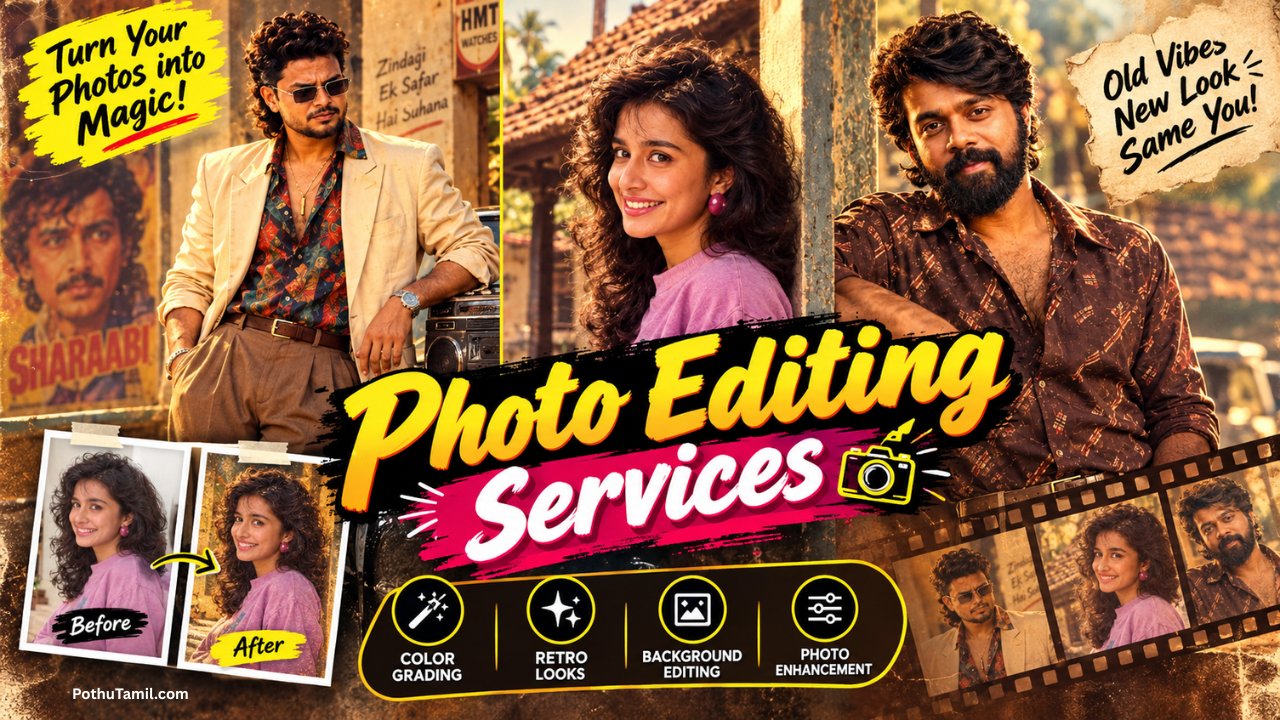
Finding the right photo editing services can make a huge difference when you need professional-looking images for business, photography, e-commerce, social media, real estate, or personal use.
Professional editing can improve lighting, colors, skin tones, backgrounds, sharpness, and overall image quality without making the photo look unnatural. Depending on your requirements, you can choose between a professional photo editing service, an online editor, or premium photo editing software.
In this guide, we’ll look at the best photo editing services online, popular editing tools, different types of professional photo editing, pricing, and which option is best for your needs.
What Are Photo Editing Services?
Photo editing services are professional or online services used to improve, retouch, modify, or enhance digital photographs.
Basic services may include color correction and cropping, while professional editing can involve portrait retouching, background removal, object removal, product photo editing, image restoration, and advanced Photoshop manipulation.
For businesses, professional editing can be especially useful because high-quality images can make product listings, websites, advertisements, portfolios, and social media content look more polished.
Best Photo Editing Services Online
The best service depends on the type of photos you need to edit and how much control you want over the final result.
Adobe Photoshop
Adobe Photoshop is one of the most widely used professional image-editing applications.
It is suitable for advanced retouching, background replacement, photo manipulation, compositing, object removal, product images, advertising creatives, and detailed professional work.
Photoshop is particularly useful when an image requires precise layer-based editing rather than just basic adjustments.
Adobe Lightroom
Adobe Lightroom is a strong option for photographers and creators who need to edit large numbers of photographs efficiently.
It provides tools for exposure, color, tone, detail, masking, presets, organization, and AI-powered editing. Adobe also provides Lightroom across desktop, mobile, and web, making it useful for photographers who work across multiple devices.
Adobe currently lists Lightroom in India at ₹382.32/month including GST on its annual, billed-monthly plan. The Photography plan, which includes Lightroom and Photoshop, is listed at ₹599/month including GST for the first year under the current offer, with the regular price listed as ₹638.38/month.
Canva Pro
Canva is useful when you want to combine photo editing with graphic design.
Its tools can handle background removal, image adjustments, social media designs, product graphics, presentations, and marketing visuals. Canva’s Background Remover can automatically separate the subject from the background and allows further adjustments to the cutout.
It is particularly useful for small businesses, creators, marketers, and people who do not want to learn complex professional editing software.
Types of Professional Photo Editing Services
Different types of photographs require different editing techniques. Choosing the right service can help you avoid unnecessary editing costs.
Portrait Photo Editing
Portrait editing focuses on improving photographs of people while maintaining a natural appearance.
Common services include skin retouching, blemish removal, color correction, teeth whitening, lighting adjustments, and background cleanup.
Professional portrait retouching should improve the image without making the person’s skin or facial features look artificial.
Product Photo Editing
Product photography is especially important for online stores and e-commerce businesses.
Professional product photo editing can include background removal, color correction, shadow creation, object cleanup, resizing, and image enhancement.
A clean product image can make an online store look more professional and consistent.
Background Removal Services
Background removal is one of the most common online photo editing requirements.
It can be used for product listings, profile photos, advertisements, catalogs, websites, and social media designs.
For simple images, AI-powered tools can remove backgrounds quickly. Canva, for example, provides an automatic Background Remover for product photos, headshots, logos, and other images.
Wedding Photo Editing
Wedding photographers often need to process hundreds or thousands of images.
Professional wedding photo editing may include color correction, exposure adjustments, skin retouching, consistent tones, cropping, and batch processing.
For large wedding collections, Lightroom can be particularly useful because it is designed for organizing and editing large photography libraries.
Real Estate Photo Editing
Real estate businesses rely heavily on attractive property photographs.
Professional real estate photo editing can improve brightness, white balance, colors, perspective, and distracting elements while keeping the property realistic.
This can be useful for property listings, real estate websites, rental advertisements, and marketing campaigns.
Old Photo Restoration
Photo restoration services can repair damaged or aged photographs.
Depending on the original image, restoration may involve removing scratches, repairing damaged areas, improving contrast, correcting faded colors, and increasing clarity.
AI-powered tools can assist with some restoration tasks, but heavily damaged photographs may still require manual professional editing.
Professional Photo Editing Services vs DIY Editing
The right choice depends on your time, budget, and editing requirements.
Professional Editing Service
Best For: Businesses, photographers, e-commerce sellers, agencies, and high-volume projects.
Advantages: Professional results, less personal editing work, consistent output, and the ability to handle specialized requirements.
Disadvantage: The cost can increase when you have hundreds or thousands of images.
Online Photo Editing Tools
Best For: Creators, students, small businesses, and people who only need occasional edits.
Advantages: Faster workflow, easy-to-use interfaces, and many automated features.
Disadvantage: Advanced editing may be limited compared with professional software.
Professional Photo Editing Software
Best For: Photographers, designers, agencies, and experienced editors.
Advantages: Greater control, advanced retouching, RAW editing, masking, layers, and professional workflows.
Disadvantage: There can be a learning curve and recurring subscription costs.
How Much Do Photo Editing Services Cost?
The cost of photo editing services can vary significantly depending on the type of editing.
Simple background removal is generally less complicated than detailed portrait retouching or advanced Photoshop manipulation. Wedding and e-commerce projects can also be priced differently because they often involve large batches of photographs.
When comparing services, look beyond the price per image. Check the editing quality, turnaround time, number of revisions, output resolution, file formats, and whether the service provides consistent results across a large batch.
For software-based editing, Adobe currently lists Lightroom from ₹382.32/month including GST in India, while its Photography plan combines Photoshop and Lightroom.
Best Photo Editing Services for Businesses
Businesses often need more than simple image enhancement.
E-commerce Businesses
Online sellers can use professional product photo editing for background removal, color correction, shadows, resizing, and consistent product presentation.
Real Estate Businesses
Property businesses can use photo enhancement and correction to create cleaner and more professional listing images.
Marketing Agencies
Agencies often need large volumes of edited images for advertising campaigns, websites, social media, and promotional materials.
Photographers
Professional photographers can outsource repetitive editing tasks while spending more time shooting, communicating with clients, and growing their photography business.
How to Choose the Best Photo Editing Service
Before paying for a professional editing service, consider these factors:
- Editing quality: Check before-and-after samples.
- Turnaround time: Important for urgent projects.
- Pricing: Compare per-image and bulk-project pricing.
- Revisions: Check whether revisions are included.
- Output quality: Confirm resolution and required file formats.
- Privacy: Understand how uploaded photographs are stored and handled.
- Consistency: Especially important for wedding and e-commerce projects.
- Specialization: Choose an editor experienced in your type of photography.
If you are sending private portraits, business photographs, or customer images, privacy and data handling should also be considered before uploading files.
Best Photo Editing Software in India
If you prefer editing photographs yourself rather than hiring a service, several professional tools are available.
Adobe Lightroom: Best for photographers, RAW editing, batch workflows, color correction, and organizing large photo libraries.
Adobe Photoshop: Best for advanced retouching, compositing, manipulation, and detailed image editing. Adobe’s Photography plan combines Photoshop and Lightroom.
Canva Pro: Best for quick online editing, background removal, social media graphics, and business visuals.
The best option depends on whether your priority is professional control, fast editing, or simple online design.
Can AI Replace Professional Photo Editing Services?
AI has made many photo editing tasks significantly faster.
Modern tools can automatically remove backgrounds, eliminate distractions, improve image quality, blur backgrounds, and perform selective adjustments. Adobe Lightroom currently includes AI-powered tools such as Generative Remove and Lens Blur, while Canva provides AI-assisted photo editing and background removal.
However, AI does not eliminate the need for professional editors in every situation. Complex commercial photographs, detailed retouching, brand-specific editing, and images requiring precise creative decisions can still benefit from human expertise.
Get Professional Photo Editing Tools
If you want to edit your own photographs professionally, Adobe Lightroom and Photoshop are strong options for advanced workflows.
Adobe Lightroom official page
For quick online editing and background removal, Canva is another practical option.
Canva official photo editing tools
Frequently Asked Questions
What are the best photo editing services online?
The best option depends on your requirement. Professional Photoshop editing is suitable for advanced work, Lightroom is excellent for photographers and batch editing, and Canva is useful for quick online editing and design.
How much do photo editing services cost?
Pricing depends on the editing type, complexity, number of images, turnaround time, and service provider. Bulk photography projects are often priced differently from individual retouching jobs.
What is the best photo editing service for e-commerce?
Product photo editing services that provide background removal, color correction, consistent sizing, and clean product presentation are generally suitable for e-commerce businesses.
Is professional photo editing worth it?
It can be worthwhile when image quality directly affects your business, portfolio, product listings, advertising, or professional photography work. Outsourcing can also save significant time when editing large numbers of photographs.
Which is better, Photoshop or Lightroom?
Photoshop is better for detailed manipulation and advanced retouching, while Lightroom is better suited to organizing, processing, and editing large photography collections. Many professional photographers use both depending on the project.
Final Verdict
The best photo editing services depend on what you are trying to achieve.
For advanced professional editing, Photoshop offers extensive creative control. For photographers handling large collections, Lightroom provides a powerful editing and organization workflow. For quick online editing and background removal, Canva is a convenient choice.
If you are a business owner, photographer, e-commerce seller, creator, or agency, investing in professional photo editing can help you produce more consistent and polished visual content.
The key is to choose a service or tool based on editing quality, pricing, turnaround time, privacy, scalability, and the type of photographs you work with rather than choosing only the cheapest option.
Hi
Photo
80 s
Ganesh sat photo
Prompt
80s look without changing my facial features
Photo editing
80
I want any photo
Prompt
80s years editing
I like 80s stely photo editinga
80s