
Introduction
In the modern era of remote work and global teams, professionals spend an average of 10 to 15 hours a week in virtual meetings. Keeping track of discussions, action items, and client requirements manually is no longer efficient. It leads to lost information, miscommunication, and wasted hours of administrative work.
This is where Fireflies AI steps in as a game-changer for enterprise productivity. Fireflies.ai is a powerful, AI-driven meeting assistant designed to automatically record, transcribe, summarize, and analyze your voice conversations across platforms like Zoom, Google Meet, and Microsoft Teams.
In this comprehensive review, we will explore exactly how Fireflies AI works, deep-dive into its premium business features, analyze its 2026 pricing structure, and explain why it is the top-rated AI transcription software for sales and management teams globally.
What Exactly is Fireflies AI?
At its core, Fireflies AI is an automated AI meeting assistant. It uses advanced natural language processing (NLP) and machine learning models to convert spoken words into highly accurate written text.
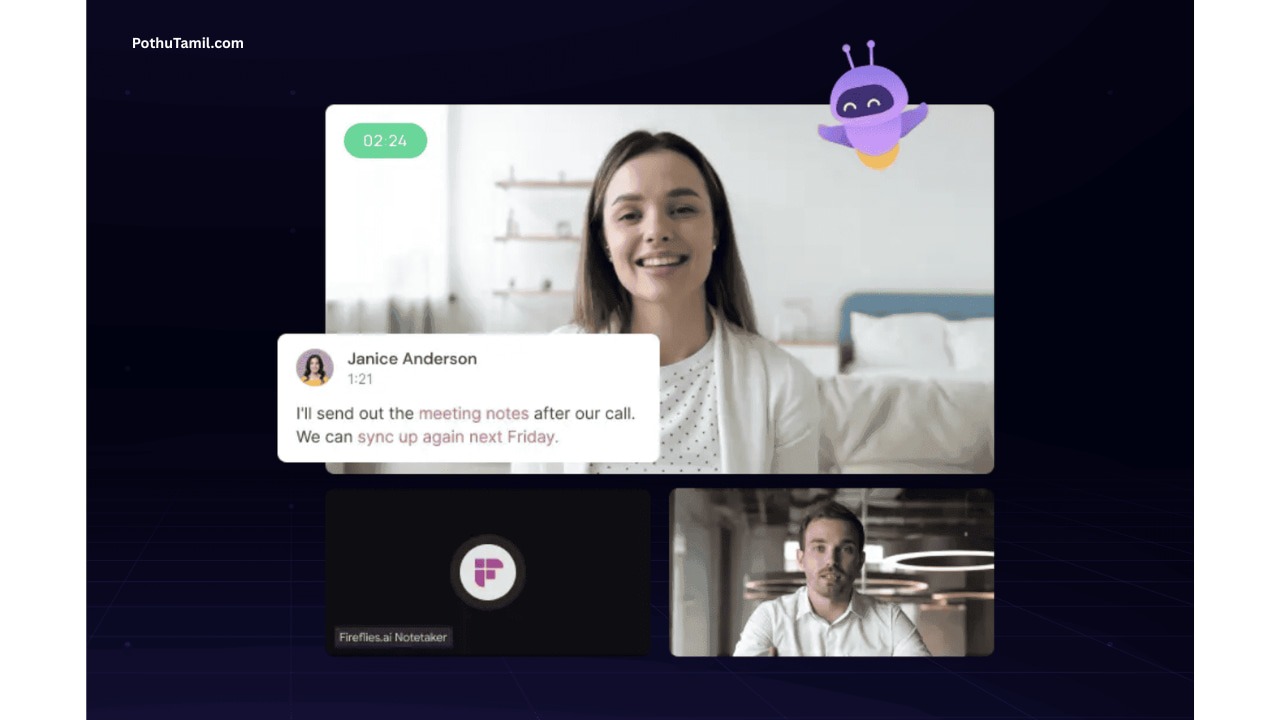
Unlike a standard voice recorder on your phone, Fireflies acts as a virtual participant. The AI bot, internally known as “Fred,” joins your scheduled video conferences, listens to the conversation, and processes the audio data through encrypted cloud servers.
Once the meeting concludes, it doesn’t just hand you a raw transcript. It provides a structured, easily readable dashboard containing high-level summaries, extracted action items, and deep conversational analytics. This level of automation is what separates a simple transcription tool from an enterprise productivity suite.
Detailed Step-by-Step: How Does Fireflies AI Work?
Getting started with Fireflies is incredibly intuitive. The system is designed to run in the background with zero manual intervention required once it is set up.
Step 1: Calendar Integration
You simply connect Fireflies to your Google Calendar or Microsoft Outlook. The software scans your upcoming schedule for any events containing a video conferencing link.
Step 2: Automated Meeting Joining
When the time comes, the Fireflies bot (Fred) automatically requests to join your Zoom, Google Meet, Microsoft Teams, or Webex call as a silent participant. You don’t need to press a record button or download any local software.
Step 3: Processing and Cloud Rendering
During the call, the AI captures the audio and processes the data in real-time. The transcription engine handles multiple speakers simultaneously, identifying who is talking and applying the correct speaker tags.
Step 4: Centralized Dashboard Access
Within minutes of the meeting ending, all attendees (or just you, depending on your privacy settings) receive an email link. This link directs you to the Fireflies centralized cloud dashboard where you can review the transcript, search for keywords, and listen to the audio playback.
Top 6 Core Features of Fireflies AI That Justify Its Premium Price
When evaluating B2B SaaS tools, businesses need to see a clear return on investment. Here are the core features that make Fireflies worth its subscription cost.
- High-Accuracy Real-time Transcription
Fireflies boasts an impressive 90%+ transcription accuracy rate. What makes it truly enterprise-grade is its multi-language support. It can accurately transcribe conversations in over 60 languages, adapting to various accents and dialects, making it perfect for global teams.
- AI Super Summaries with Action Items
Nobody has the time to read a 20-page transcript of a one-hour meeting. Fireflies utilizes advanced generative AI to create Super Summaries. It automatically breaks down the call into:
- Overview: A quick paragraph explaining the meeting’s purpose.
- Action Items: A bulleted list of who needs to do what.
- Outline: Clickable timestamps jumping to specific topics.
- Ask Fred (Custom AI Meeting Chatbot)
This is a revolutionary feature. Ask Fred acts like ChatGPT specifically trained on your meeting data. After a call, you can type questions like, “What budget did the client agree to?” or “Did we set a date for the next review?” and the AI will answer instantly based on the transcript.
- Smart Search and Keyword Tracking
For managers overseeing multiple teams, the Smart Search feature is invaluable. You can filter thousands of past meetings by specific keywords, competitor names, or custom tracker topics. It allows executives to instantly find the exact moment a specific product feature was discussed.
- Soundbites and Audio Snippets
Instead of sharing an entire 60-minute recording, Fireflies allows you to highlight a specific sentence in the transcript and export it as an audio snippet. These “Soundbites” can be easily dropped into Slack or an email to share a client’s exact feedback with the product team.
- Conversation Intelligence & Sentiment Analysis
Available on premium tiers, this feature is a goldmine for sales managers. The dashboard tracks metrics such as speaker talk time, monologues, and filler words. It also uses Sentiment Analysis to gauge whether the client sounded positive, negative, or neutral, helping sales reps refine their pitching strategies.
Enterprise CRM and Workflow Integrations
This is the most critical section for B2B users. A meeting assistant is only as good as its ability to sync data with the tools your company already uses. Fireflies excels in workflow automation.
- HubSpot and Salesforce Automation: Manual data entry is the biggest complaint among sales professionals. Fireflies integrates directly with top CRMs. It automatically logs meeting notes, transcripts, and voice snippets directly under the correct contact’s profile in Salesforce or HubSpot, saving hours of administrative work.
- Slack and Microsoft Teams Connect: You can configure Fireflies to push meeting summaries directly into specific Slack channels. For example, all “Product Feedback” meetings can be automatically routed to the engineering team’s Slack channel.
- Project Management Sync: Fireflies can automatically create tasks in Asana, Jira, Trello, or Monday.com based on the action items discussed during the call.
Fireflies AI vs Competitors (The Battle of AI Assistants)
The AI transcription market is highly competitive. Let’s look at how Fireflies stacks up against its main rivals.
| Feature / Software | Fireflies AI | Otter.ai | tl;dv |
| Best For | Sales & Enterprise CRM | Students & Journalists | Free Video Recording |
| Video Capture | Yes (Business Plan only) | No | Yes (Free Plan) |
| CRM Integrations | Native (HubSpot, Salesforce) | Limited | Native |
| Multi-language | 60+ Languages | English Only | 30+ Languages |
| Custom AI Chatbot | Yes (Ask Fred) | Yes (Otter Chat) | Yes |
While Otter.ai is great for basic transcription and tl;dv is excellent for free video capture, Fireflies AI remains the superior choice for deep CRM integration and B2B workflow automation.
Data Security, Privacy, and Corporate Compliance
When dealing with confidential corporate data, financial records, and client strategies, security cannot be compromised. Fireflies targets enterprise clients by offering robust data protection protocols.
- SOC 2 Type II Certified: This ensures that Fireflies maintains the highest standards of cloud security and continuous monitoring against vulnerabilities.
- GDPR and CCPA Compliance: Full compliance with European and Californian data privacy laws, giving users complete control over data deletion and retention.
- HIPAA Compliance: Available on the Enterprise plan, making it suitable for healthcare organizations dealing with sensitive patient information.
- Private Storage & SSO: Large organizations can utilize Single Sign-On (SSO) and request custom data retention policies to meet internal compliance rules.
Comprehensive Pricing Plans & Business ROI Analysis
Understanding Fireflies pricing is crucial, as the cost scales based on team size and the specific features required. Here is the detailed breakdown for 2026 (based on annual billing).
- Free Plan ($0/month)
- Best For: Individuals testing the platform.
- Limits: Capped at 800 minutes of storage per seat.
- Features: Basic transcription and limited AI summaries. No CRM integrations or video recording.
- Pro Plan ($10/user/month)
- Best For: Freelancers and consultants.
- Limits: 8,000 minutes of storage. Includes 20 AI credits per month.
- Features: Unlimited AI summaries, keyword tracking, and basic integrations. (Note: Audio only, no video recording).
- Business Plan ($19/user/month)
- Best For: Sales teams and fast-growing agencies.
- Limits: Unlimited storage. Includes 30 AI credits per month.
- Features: Full video recording, premium CRM integrations (Salesforce, HubSpot), and advanced Conversation Intelligence.
- Enterprise Plan ($39/user/month)
- Best For: Large corporations and regulated industries.
- Limits: Unlimited storage and 50 AI credits.
- Features: HIPAA compliance, SSO, dedicated account manager, and private cloud storage.
Final Verdict: Should Your Business Invest in Fireflies.ai?
If you are a solo user who only needs occasional transcriptions, the free tier or a cheaper alternative might suffice. However, if you are a sales executive, an agency owner, or part of a growing enterprise, Fireflies AI is an absolute necessity.
The ability to completely eliminate manual note-taking, combined with the power to automatically sync critical conversation data into your CRM, provides a massive Return on Investment (ROI). The Business Plan at $19/month pays for itself within the first week by recovering hours of lost productivity.
For modern businesses looking to scale efficiently in 2026, Fireflies AI is not just a meeting transcriber; it is your automated chief of staff.