
Introduction
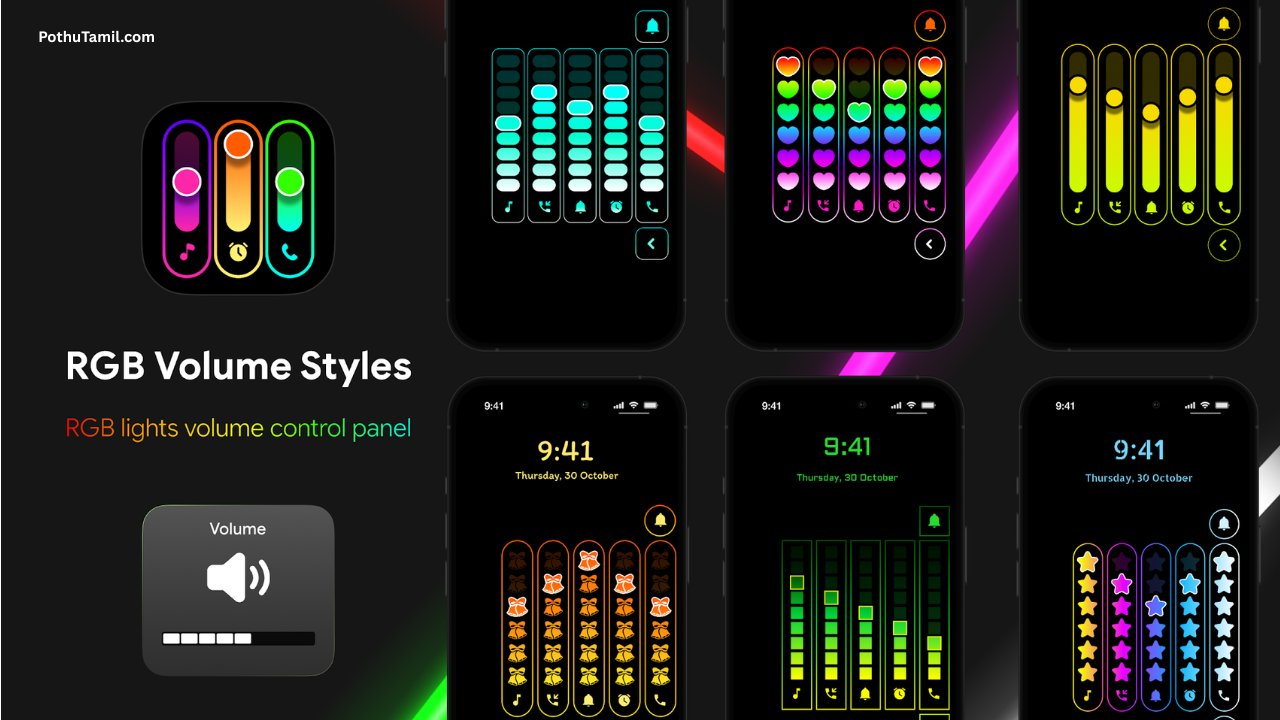
Android users have always enjoyed customizing their smartphones, from wallpapers and icon packs to lock screen themes and widgets. One area that often goes unnoticed is the volume panel. Every time you press the volume button, the default Android slider appears, but it doesn’t have to stay that way. With Neon LED Volume Style App, you can replace the standard volume controls with stylish neon-inspired designs that give your phone a fresh and modern appearance.
Whether you enjoy RGB lighting effects, colorful themes, or minimal designs with glowing animations, this app offers a simple way to personalize your device. It doesn’t require advanced technical knowledge, making it suitable for both beginners and experienced Android users who want their smartphone to stand out.
In this review, we’ll explore the features, customization options, compatibility, performance, and overall experience offered by Neon LED Volume Style App.
What is Neon LED Volume Style App?
Neon LED Volume Style App is an Android personalization application that lets users customize the appearance of their device’s volume control panel. Instead of the default Android slider, the app offers stylish volume themes with neon lighting, colorful animations, transparent backgrounds, and modern layouts.
The app focuses entirely on visual customization. It does not modify your phone’s sound quality or volume performance. Instead, it changes how the volume panel looks whenever you adjust media, ringtone, notification, or alarm volume.
For users who enjoy creating unique Android setups, this app provides an easy way to add personality without replacing the launcher or installing complicated customization tools.
Why Customize the Volume Panel?
Most Android smartphones include attractive wallpapers and themes, but the system volume controls often remain unchanged. Since the volume panel appears many times throughout the day, replacing it with a custom design can make the overall user experience feel more polished.
Neon-style volume panels pair well with AMOLED wallpapers, gaming themes, futuristic icon packs, and colorful home screen layouts. Even a small visual change like this can make your device look more premium and personalized.
Main Features
Neon LED Volume Style App includes several customization features designed for Android personalization enthusiasts.
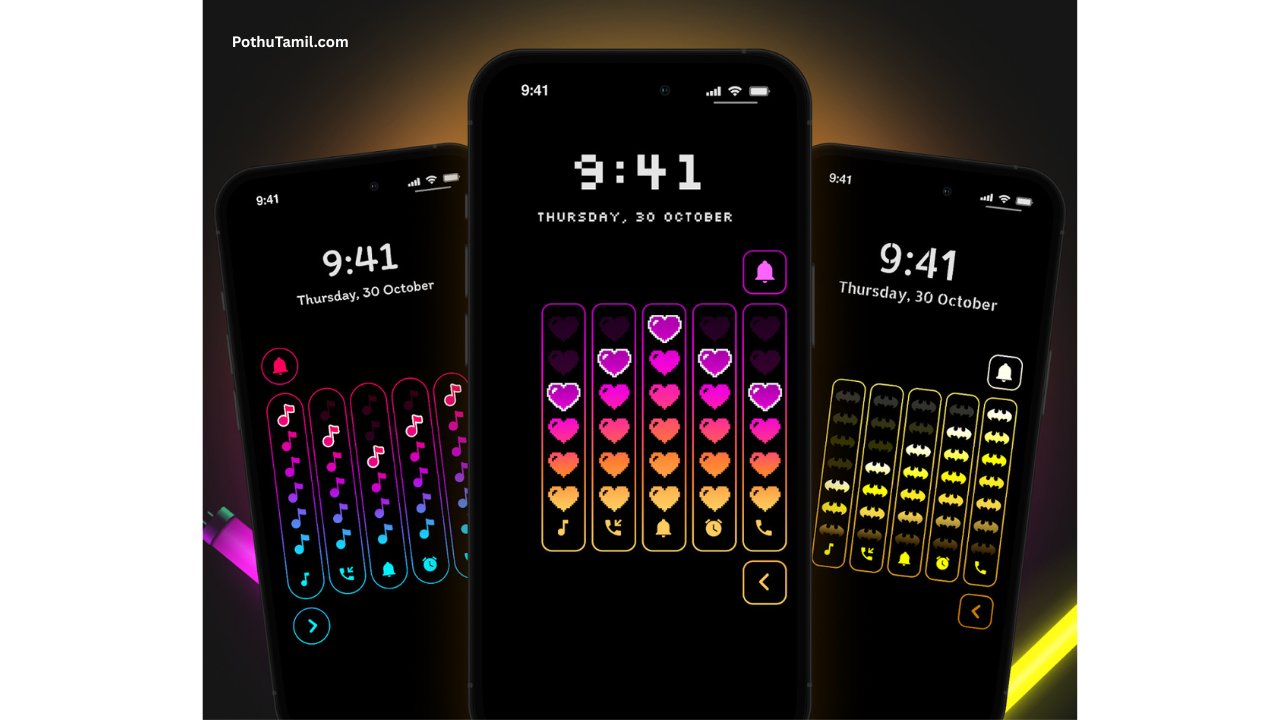
Users can browse different volume panel themes, apply colorful neon effects, choose glowing sliders, and preview changes before making them active. Some versions may also include transparent panels, gradient color combinations, rounded designs, and animated transitions that enhance the overall look of the interface.
The app keeps the customization process simple, allowing users to switch between styles in just a few taps.
Beautiful Neon Themes
One of the biggest highlights of the app is its collection of neon-inspired themes. Bright colors, glowing effects, and smooth animations help create a modern appearance that stands out from the standard Android interface.
Depending on the available version, users may find themes suitable for gaming setups, dark mode lovers, RGB-inspired designs, or simple minimalist aesthetics. Matching the volume panel with wallpapers and icon packs helps create a consistent visual style across the device.
Easy Customization
The application is designed to make personalization simple.
Users can explore available styles, preview how each volume panel looks, and apply their preferred design without complicated settings. The straightforward interface allows anyone to customize their phone, regardless of technical experience.
This ease of use is one of the reasons why personalization apps continue to attract Android users who enjoy experimenting with different themes.
User Experience
Neon LED Volume Style App focuses on providing a smooth and intuitive experience.
The menus are organized clearly, making it easy to navigate between available themes and customization options. Theme previews help users decide before applying changes, reducing trial and error.
The app is lightweight enough for regular use while still offering visually appealing animations that improve the overall look of the smartphone.
Performance
Since the app mainly changes the appearance of the volume controls, it generally has minimal impact on overall device performance.
On compatible Android devices, volume panels appear quickly with smooth animations whenever the physical volume buttons are pressed. Performance may vary depending on hardware specifications, Android version, and background processes, but most modern devices should handle the customization comfortably.
Device Compatibility
Neon LED Volume Style App is intended for Android smartphones.
Feature availability may differ depending on the device manufacturer, Android version, and accessibility permissions required for custom volume controls. Before installation, users should verify compatibility through the official app listing to ensure all features are supported.
Free and Premium Options
Many Android customization apps provide both free and premium experiences.
The free version typically offers several volume themes and essential customization tools, allowing users to personalize their device without additional cost.
Premium versions, where available, may unlock extra neon themes, exclusive animations, advanced design controls, additional color options, and an ad-free experience. Features and pricing depend on the developer’s latest release.
Privacy and Permissions
As with any personalization application, users should review requested permissions before installation.
Some features may require Accessibility permissions to display custom volume panels correctly. It is recommended to install the app only from trusted sources and read the developer’s privacy policy to understand how permissions are used.
Using official app stores helps improve security and ensures users receive genuine application updates.
Who Should Download This App?
Neon LED Volume Style App is suitable for anyone who enjoys Android customization.
Students looking to personalize their smartphones, gamers creating RGB-themed setups, professionals wanting a cleaner interface, and Android enthusiasts experimenting with different home screen designs may all appreciate the flexibility offered by the app.
Because the setup process is beginner-friendly, even users new to Android personalization can quickly start customizing their devices.
Advantages
The app offers several benefits for users interested in smartphone personalization.
Its modern neon themes help create a unique appearance. The interface is easy to understand, customization takes only a few moments, and the overall experience feels smooth on supported devices. Regular updates may also introduce additional themes and visual improvements.
Limitations
Although the app focuses on customization, users should keep a few points in mind.
Some advanced themes may only be available through optional premium upgrades. Feature availability can vary depending on the Android version, and certain device manufacturers may limit customization capabilities due to system restrictions.
Frequently Asked Questions
Is Neon LED Volume Style App free to use?
Many versions provide free customization features, while additional themes and advanced options may be available through optional premium upgrades.
Does this app improve sound quality?
No. The application changes only the appearance of the volume controls and does not modify your device’s audio output.
Is it safe to install?
When downloaded from an official app marketplace and used according to the developer’s guidelines, personalization apps are generally safe to use.
Can I restore the default Android volume panel?
Yes. Most customization apps allow users to disable custom themes and return to the original Android volume controls whenever they prefer.
Will it work on all Android phones?
Compatibility depends on your Android version, device manufacturer, and supported system features. Checking the official app requirements before installation is recommended.
Final Verdict
Neon LED Volume Style App is an excellent choice for Android users who enjoy personalizing every aspect of their smartphone. Instead of relying on the standard Android volume interface, the app introduces colorful neon-inspired volume panels that can better match wallpapers, icon packs, and overall device themes.
Its simple interface, attractive customization options, and beginner-friendly setup make it suitable for users who want a fresh look without making complicated system changes. Before downloading, review the latest compatibility information, available themes, and optional premium features to choose the experience that best matches your personalization preferences.
Ramcharan please ringtine
U
Selvakumar
பொதுத்தமில்வோலுமே
Soo 😍