

Online Lightroom is a professional photo editing solution for photographers, content creators, and businesses that want to improve image quality and manage their photography projects. Adobe Lightroom offers powerful editing tools for adjusting exposure, correcting colours, enhancing portraits, removing distractions, and creating consistent visual styles. Whether you are preparing product photographs for an online store or editing professional portraits for clients, Online Lightroom provides a flexible editing environment through supported web, desktop, and mobile experiences.
What Is Online Lightroom?
Online Lightroom is Adobe’s browser-based photography editing experience. It allows users to access supported photo editing features through a web browser after signing in to an Adobe account.
Unlike traditional editing workflows that depend entirely on one computer, Lightroom’s connected environment helps users access supported photographs and projects across compatible devices. This can be useful for photographers who work from different locations or need to continue editing when their primary computer is unavailable.
Adobe Lightroom is part of the company’s Creative Cloud photography ecosystem. It includes Lightroom for web, desktop, and mobile, while Lightroom Classic provides a more traditional desktop-based photography workflow.
For professionals who regularly handle client photographs, commercial images, and large photography projects, Online Lightroom can be a useful part of an organised editing process.
How Does Online Lightroom Work?
Online Lightroom works through Adobe’s web-based editing environment. Users open the Lightroom website, sign in with their Adobe account, and access their available photographs.
After selecting an image, users can work with supported editing controls to adjust lighting, colour, appearance, and other image properties. The changes can be reviewed before the edited photograph is exported or shared using available options.
Adobe’s cloud-connected workflow can also make supported images and edits accessible across devices. The exact availability of features depends on the user’s subscription, application version, and account configuration.
This approach is especially useful for photographers who want convenient access to their projects without installing their complete editing setup on every computer they use.
7 Powerful Online Lightroom Photo Editing Features
1. Professional Exposure and Lighting Adjustments
Exposure is one of the most important parts of professional photography. A photograph captured in poor lighting may appear too dark, too bright, or lack important details.
Online Lightroom provides editing controls that help users adjust exposure, contrast, highlights, and shadows. These adjustments can improve the overall balance of an image and help reveal details that are difficult to see in the original photograph.
Portrait photographers can use lighting adjustments to improve the appearance of faces, while commercial photographers can refine product images to create a cleaner presentation.
The best results usually come from making controlled adjustments rather than increasing brightness or contrast excessively.
2. Advanced Colour Correction
Colour accuracy is essential for professional photography. Incorrect colours can affect the appearance of portraits, products, clothing, and commercial images.
Lightroom offers colour adjustment tools that help photographers refine the appearance of their photographs. Users can work on colour balance and overall tones to achieve a consistent visual style.
This is particularly important for e-commerce businesses. Product photographs should represent the actual appearance of the items being sold, so excessive colour changes can create misleading results.
Professional photographers can also use colour adjustments to maintain a consistent look across multiple images from the same photoshoot.
3. AI-Powered Photo Editing
Adobe continues to introduce AI-powered capabilities across its Lightroom applications. Depending on the supported version and subscription, these tools can help users remove distractions, improve portraits, and make selective image adjustments.
AI-powered editing can reduce repetitive work and help photographers complete certain tasks more efficiently. Instead of manually correcting every small detail, users may be able to take advantage of supported automated editing features.
However, users should check which AI tools are available in Lightroom on the web before choosing a subscription. Some capabilities may be available in desktop or mobile applications but may not work identically in the browser-based version.

4. Professional Presets and Custom Styles
Presets allow photographers to apply predefined editing settings to their photographs. They are useful for creating a consistent appearance across portraits, wedding photography, travel images, and commercial projects.
Online Lightroom users can work with supported presets and adjust the results according to the requirements of each photograph.
Professional photographers often develop their own editing styles to create a recognisable appearance. Custom presets can help maintain that style across different photography sessions.
However, applying the same preset to every image may not produce identical results because lighting conditions, camera settings, and backgrounds can vary.
5. Selective Editing and Masking
Selective editing allows photographers to adjust specific areas of an image instead of changing the entire photograph.
Lightroom’s supported masking tools can help users work on selected areas, such as a subject, background, or particular region of a photograph. This provides more control over the final appearance.
For example, a photographer may want to brighten a subject without significantly changing the background. Selective adjustments can help achieve this type of result.
Masking is especially valuable in professional portrait photography and commercial image editing, where small visual improvements can make a noticeable difference.
6. Portrait Retouching and Detail Enhancement
Portrait photography often requires careful attention to skin tones, facial details, and lighting. Professional editing should improve the image while maintaining a natural appearance.
Depending on the available Lightroom version, supported portrait tools and AI-powered retouching features can help users remove blemishes and refine selected details.
These capabilities can be useful for photographers working on wedding albums, professional headshots, fashion photography, and business portraits.
The important goal is to maintain realistic results. Excessive retouching can make faces appear unnatural, so professional editors should use adjustments carefully.
7. Cloud-Based Photo Management
Managing large collections of photographs can become difficult when projects are spread across multiple devices.
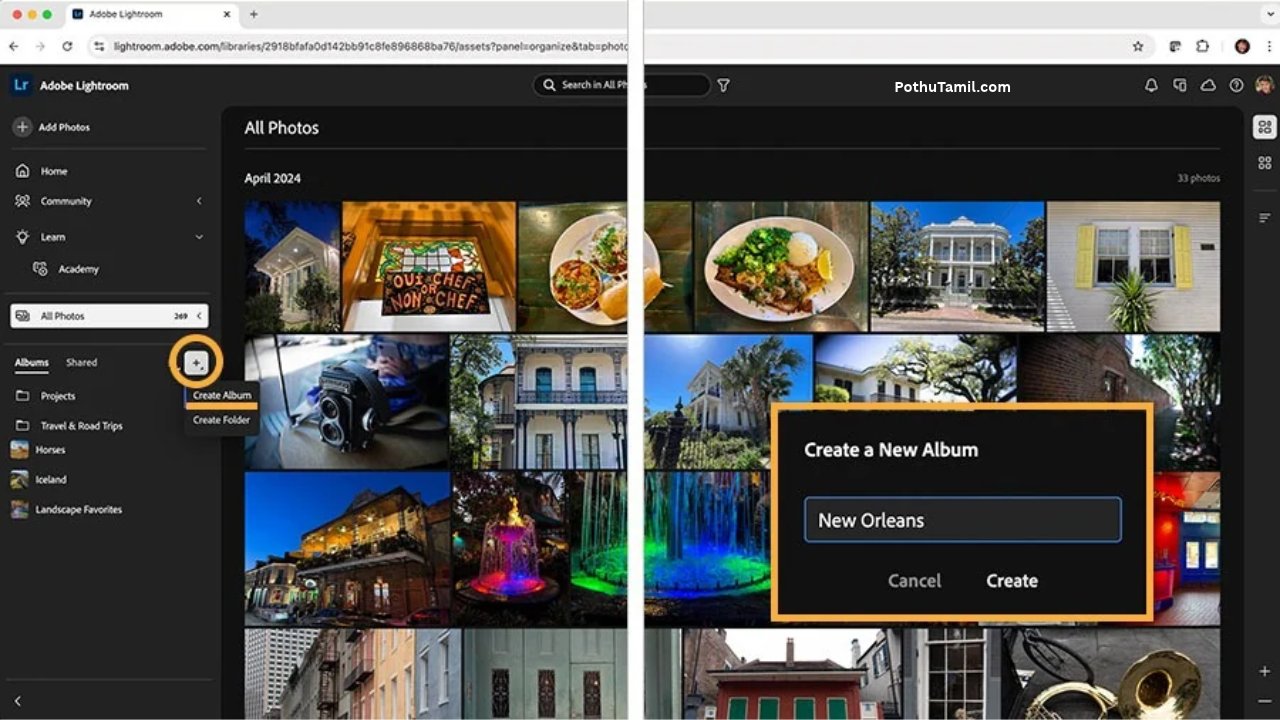
Online Lightroom supports a connected photography workflow that can help users access and organise supported images through Adobe’s cloud services.
This can be valuable for professional photographers who need to review client photographs, continue editing projects, and work across compatible devices.
Cloud storage capacity depends on the selected subscription. Users managing large commercial photography collections should compare storage requirements before choosing a plan.
Online Lightroom for Professional Photography
Professional photographers need editing software that supports consistent results and efficient project management. Online Lightroom can be useful for photographers who want browser-based access to supported editing tools.
Portrait photographers may focus on exposure, skin tones, and background adjustments. Wedding photographers may need to maintain a consistent appearance across hundreds of photographs. Product photographers may prioritise accurate colours, clean lighting, and detailed image presentation.
For photography studios, an organised editing workflow can also help reduce repetitive work and improve consistency between client projects.
Users who require advanced desktop-based catalogue management or specialised editing controls may prefer to combine Lightroom’s web experience with its desktop applications.
Online Lightroom for E-Commerce and Business Photography
Businesses depend on professional photographs for online stores, product catalogues, advertisements, and websites. High-quality images can improve product presentation and help maintain a consistent brand identity.
Online Lightroom can support commercial photography workflows by helping businesses refine lighting, adjust colours, and prepare photographs for digital publishing.
E-commerce companies can use professional editing processes to maintain consistent product images across their catalogues. Marketing agencies can also use image-editing software to prepare campaign visuals and maintain a consistent appearance across promotional materials.
For larger organisations, choosing an appropriate photography subscription requires considering storage, licensing, user access, and the number of people who need editing tools.
Online Lightroom Subscription Plans and Pricing
Adobe offers different Lightroom subscription options for individual photographers, creative professionals, and businesses. The available plans can differ in applications, cloud storage, generative credits, and additional creative tools.
Adobe’s India pricing page currently lists the standalone Lightroom plan at ₹382.32 per month, including GST, on an annual plan billed monthly. The listed plan includes Lightroom for web, desktop, and mobile, Lightroom Classic, and 1 TB of cloud storage. Prices and promotional offers can change, so users should confirm the latest amount before purchasing.
Photographers who also need advanced image manipulation can compare the Photography plan, which includes Photoshop alongside Lightroom. Businesses can review Lightroom for teams and other Creative Cloud business subscriptions according to their licensing and collaboration requirements.
Before purchasing, compare the applications included, storage capacity, billing arrangement, and features needed for your professional workflow.
You can review the current options on Adobe’s official Lightroom subscription plans page.
Online Lightroom vs Lightroom Classic
Online Lightroom and Lightroom Classic are designed for photography editing, but they support different working preferences.
Online Lightroom provides browser-based access and works as part of Adobe’s connected photography environment. It is useful for users who want to access supported projects through compatible devices.
Lightroom Classic is primarily designed for desktop-based photography management. It provides a traditional catalogue and local folder workflow that can suit photographers who manage large collections of original files on their computers.
Photographers who prefer cloud-connected access may find Online Lightroom more convenient. Users who prefer a desktop-centred workflow may choose Lightroom Classic.
The right option depends on how photographs are stored, how projects are organised, and which editing features are required.
How to Get Better Results with Online Lightroom
A professional editing workflow starts with understanding the original photograph. Before applying presets or making strong adjustments, review the image’s exposure, lighting, sharpness, and colour balance.
Avoid excessive saturation and contrast because they can make photographs look unnatural. Portrait editors should preserve realistic skin tones, while product photographers should maintain accurate product colours.
Use selective adjustments where appropriate to improve specific areas without changing the entire image unnecessarily. After editing, review the final photograph at different screen sizes to make sure it looks consistent before publishing.
Photographers should also maintain an organised backup and storage workflow. This is particularly important when working with paid client projects and commercial photography collections.
Conclusion
Online Lightroom provides a flexible photography editing environment with professional tools for exposure correction, colour adjustments, presets, masking, portrait retouching, and connected photo management. These features can help photographers, content creators, and businesses improve their image-editing workflows.
Before choosing a subscription, compare the available applications, cloud storage, pricing, and differences between Lightroom and Lightroom Classic. With the right editing approach, Online Lightroom can support professional photography, commercial image preparation, and consistent visual content.