
Introduction
Digital accounts have become a regular part of modern life. Many mobile applications, websites, and online services require users to create accounts to access features. Traditionally, account access has been based on a single credential, such as a password. Over time, additional methods have been introduced to improve account access reliability and management.
One such method is known as Two-Factor Authentication, often abbreviated as 2FA. This article provides a neutral and informational explanation of what two-factor authentication is, how it works in general terms, and why it is considered an important concept in modern account systems. The content is intended for general awareness and educational understanding.
What Is Two-Factor Authentication?
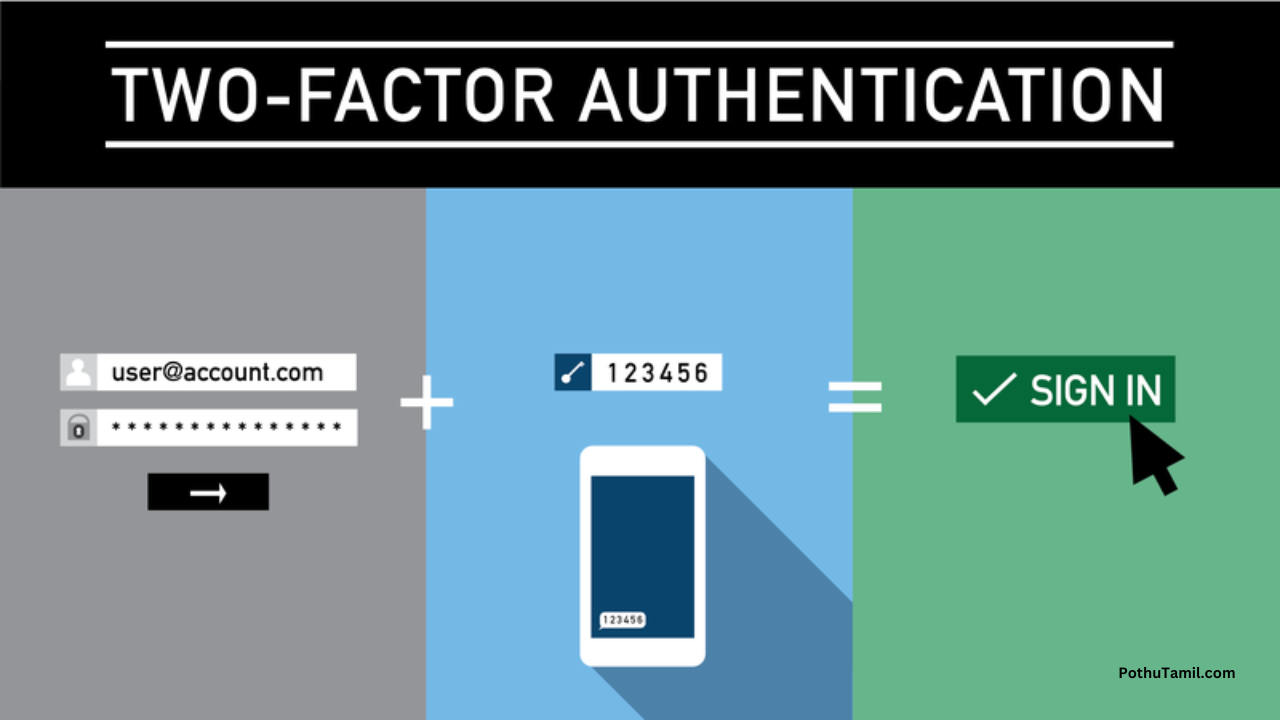
Two-factor authentication is an account access method that requires two separate forms of verification instead of one. These two factors are usually drawn from different categories of identification.
The purpose of using two factors is to add an additional verification step during the login process.
Understanding Authentication Factors
Authentication factors are commonly grouped into three general categories:
-
Something the user knows
Examples include passwords or passcodes. -
Something the user has
Examples include a mobile device or a physical token. -
Something the user is
Examples include fingerprint or facial recognition.
Two-factor authentication uses any two of these categories together.
How Two-Factor Authentication Works
In a general workflow, two-factor authentication follows these steps:
-
The user enters a primary credential
-
The system requests a second form of verification
-
The second verification is provided
-
Access is granted after successful confirmation
This process is designed to add an extra layer of verification.
Difference Between Single-Factor and Two-Factor Access
Single-factor access relies on:
-
One credential only
Two-factor access relies on:
-
Two separate verification steps
The main difference lies in the number of verification elements involved.
Common Examples of Two-Factor Methods
Two-factor authentication may involve combinations such as:
-
Password + temporary code
-
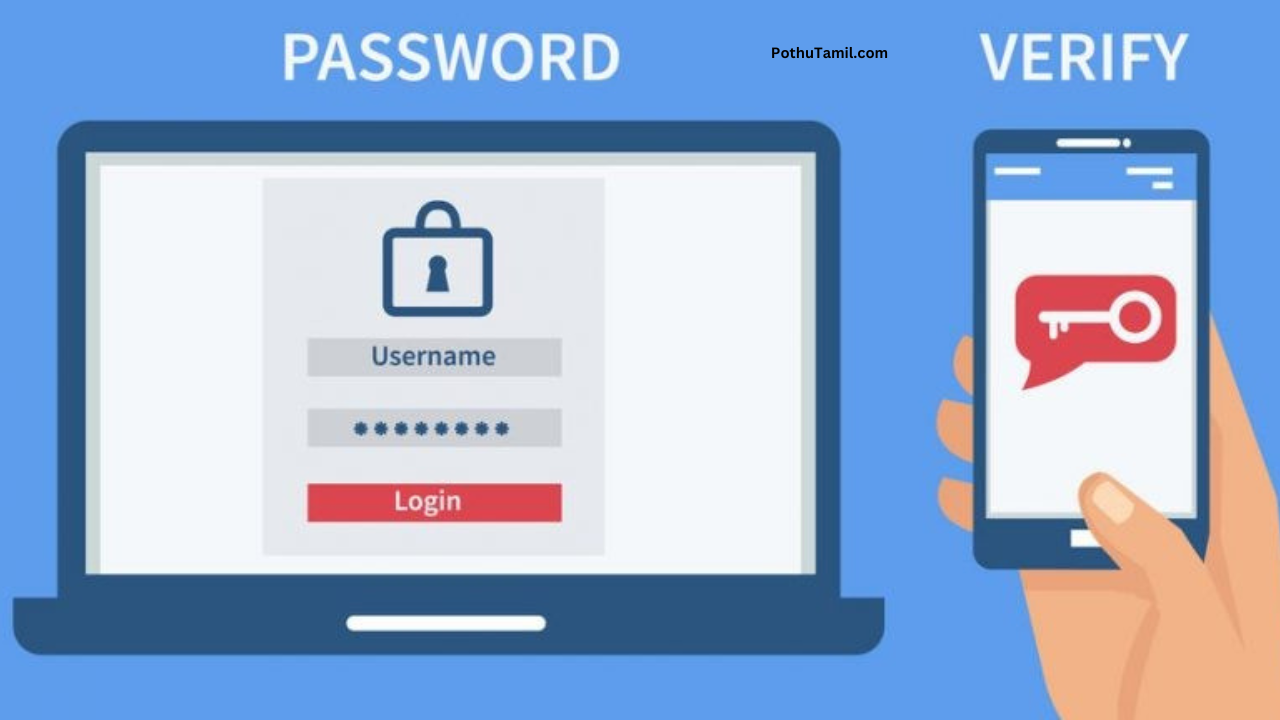
Password + device confirmation
-
Password + biometric confirmation
The exact method depends on the platform.
Why Two-Factor Authentication Exists
As digital platforms expanded, account access methods evolved to address:
-
Multiple device usage
-
Remote access
-
Account recovery needs
Two-factor authentication was introduced as part of this evolution.
General Importance of Multiple Verification Steps
Using multiple verification steps helps:
-
Confirm account ownership
-
Reduce accidental access
-
Improve access management
It supports a more structured login process.
Use of Temporary Verification Codes
Some two-factor systems use temporary codes that:
-
Are generated for a short duration
-
Are valid for a single login attempt
These codes are time-based or event-based.
Device-Based Verification Concept
In some systems, a registered device is used as:
-
A verification reference
-
A confirmation point during login
This adds a physical element to account access.
Biometric Verification as a Second Factor
Biometric methods may include:
-
Fingerprint recognition
-
Facial recognition
When combined with another credential, they form a two-factor system.
Two-Factor Authentication in Mobile Applications
Many mobile applications include two-factor options as part of:
-
Account settings
-
Login preferences
These options are usually configurable by the user.
Platform-Dependent Implementation
The way two-factor authentication works may vary based on:
-
Application design
-
Operating system
-
Device capabilities
Despite variations, the core concept remains the same.
Account Management Awareness
Two-factor authentication supports better account management by:
-
Clearly identifying login attempts
-
Requiring confirmation for access
This helps users recognize authorized access.
Relationship Between Passwords and 2FA
Passwords remain part of most systems. Two-factor authentication:
-
Does not replace passwords
-
Works alongside them
Together, they form a combined access method.
Situations Where 2FA Is Commonly Used
Two-factor authentication is often enabled for:
-
Email accounts
-
Social media platforms
-
Financial applications
-
Cloud-based services
Usage depends on platform policies.
Optional vs Mandatory Usage
Some platforms:
-
Offer two-factor authentication as optional
-
Require it for certain account types
Availability varies by service.
User Experience Considerations
From a usability perspective:
-
Login may take an extra step
-
Verification is usually quick
-
Familiarity improves efficiency
Most users adapt over time.
Learning Curve for Beginners
For new users:
-
Initial setup may take a few minutes
-
Instructions are usually guided
Once enabled, usage becomes routine.
Managing Multiple Devices
Two-factor authentication systems often allow:
-
Multiple trusted devices
-
Device management through settings
This helps users access accounts across devices.
Backup Verification Options
Some platforms provide:
-
Backup codes
-
Alternative verification methods
These help maintain access if the primary method is unavailable.
Role of 2FA in Account Recovery
Two-factor systems may assist in:
-
Confirming identity during recovery
-
Verifying ownership
This supports structured recovery processes.
Limitations of Two-Factor Authentication
Like all systems, two-factor authentication has limitations:
-
Requires access to the second factor
-
Depends on device availability
Understanding limitations helps set expectations.
Comparison With Multi-Factor Authentication
Two-factor authentication uses two factors.
Multi-factor authentication may use:
-
Two or more factors
Both concepts aim to improve verification.
Importance in Shared Device Scenarios
On shared or public devices, two-factor authentication:
-
Adds an extra confirmation step
-
Helps distinguish authorized users
This is useful in multi-user environments.
Digital Awareness and Best Practices
Understanding two-factor authentication helps users:
-
Learn about account systems
-
Manage digital identities
-
Navigate modern platforms
It contributes to digital literacy.
Role in Modern Account Systems
Two-factor authentication has become:
-
A standard feature in many platforms
-
A widely recognized access method
Its adoption reflects changes in account usage patterns.
Long-Term Account Access Stability
When configured properly, two-factor authentication:
-
Supports consistent account access
-
Helps manage login behavior across devices
Stability improves with familiarity.
Implementation Differences Across Services
Each service may implement:
-
Different verification steps
-
Unique interface designs
Users should review platform-specific guidance.
Educational Value of Understanding Authentication
Learning about authentication methods helps users:
-
Understand how digital systems work
-
Make informed configuration choices
This knowledge applies beyond a single platform.
Future Direction of Authentication Methods
As technology evolves, authentication methods may:
-
Become more seamless
-
Integrate new verification factors
Two-factor authentication represents an important stage in this evolution.
Final Overview
Two-factor authentication is a method of account access that requires two separate forms of verification. It is designed to improve the structure and reliability of login processes across digital platforms. By combining different verification elements, it adds an additional confirmation step beyond traditional password-based access.
This article has provided a neutral, educational overview of why two-factor authentication is considered important in modern account systems.
Frequently Asked Questions (FAQs)
What does two-factor authentication mean?
It means using two different verification steps to access an account.
Is two-factor authentication the same everywhere?
No, implementation varies by platform.
Does it replace passwords?
No, it works alongside passwords.
Is setup required?
Yes, it is usually configured within account settings.
Disclaimer
This content is provided for general informational purposes only. Authentication methods, features, and availability may vary depending on platform policies, application updates, and device capabilities.
Hack
மேல் அடி
Hi