

Introduction
The Adobe online photo editor gives photographers, content creators, marketers, and businesses a convenient way to improve images directly through a web browser. Instead of installing a full desktop application for every editing task, users can access browser-based tools to retouch photos, remove unwanted objects, adjust colours, replace backgrounds, and prepare images for digital publishing. Adobe also connects its online editing experience with professional applications such as Photoshop and Lightroom, making it useful for both beginners and experienced creative professionals.
For businesses that depend on high-quality visual content, choosing the right photo editing software can influence brand presentation, marketing performance, and production efficiency. Understanding what the Adobe online photo editor offers, which features require a paid subscription, and when a professional Creative Cloud plan makes sense can help users select the right editing solution.
What Is Adobe Online Photo Editor?
Adobe online photo editor refers to Adobe’s browser-based photo editing options, particularly Photoshop on the web and Photoshop Express online editing tools. These services allow users to work with images without installing the complete desktop version of Photoshop.
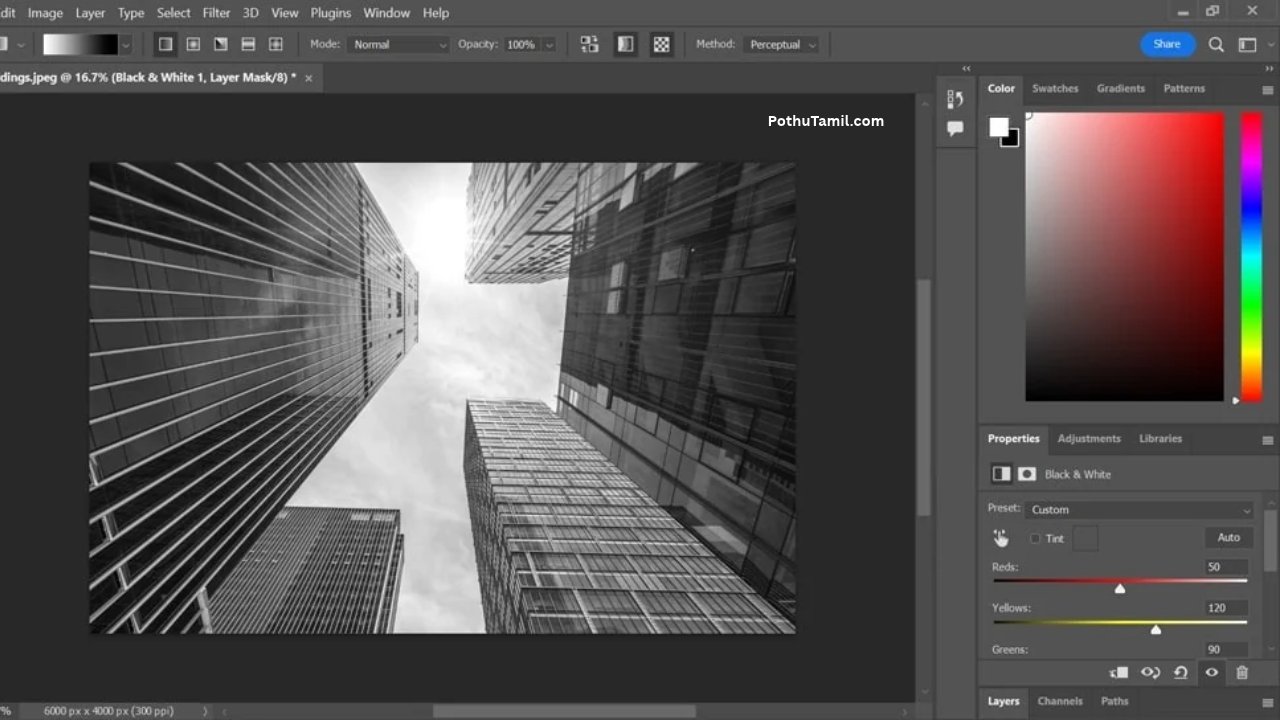
Photoshop on the web provides a more advanced editing workspace, including layers, image adjustments, retouching tools, and AI-powered editing features. It supports common image formats such as JPEG and PNG, along with PSD files, allowing users to continue working with compatible Photoshop projects.
Photoshop Express online is designed for quicker image improvements. It is useful for everyday tasks such as cropping, resizing, applying filters, and making basic adjustments. The two experiences serve different editing needs, so users should choose according to the complexity of their projects.
How Does Adobe Online Photo Editor Work?
The Adobe online photo editor works through a supported web browser. Users open the relevant Adobe editing page, sign in when required, upload a supported image, and begin making changes through the available tools.
The browser-based workflow is particularly useful when someone needs to make an adjustment without setting up a complete desktop editing environment. After uploading an image, users can make changes, review the result, and export or save their work using the available options.
Photoshop on the web also supports cloud-based documents. This makes it possible to access compatible projects across supported devices and continue editing without relying entirely on a single computer. An active internet connection is required for browser-based editing.
Key Features of Adobe Online Photo Editor
AI-Powered Object Removal and Generative Editing
One of the important advantages of the Adobe online photo editor is its AI-powered editing capability. Photoshop on the web includes Generative Fill and Generative Expand, which can help users add visual elements, remove unwanted content, or extend an image beyond its original boundaries.
For example, a marketing team may need to remove a distracting object from a product photograph before using it in an advertisement. A content creator might want to extend the background of an image to fit a different design format. Generative tools can help with these tasks while reducing the amount of manual editing required.
The results should still be reviewed carefully, especially when images are used for commercial campaigns, product listings, or professional client work.
Background Removal and Replacement
Background editing is useful for ecommerce product photography, promotional graphics, profile images, and marketing materials. The Adobe online photo editor provides options for removing or changing backgrounds, helping users isolate a subject and prepare it for a different visual layout.
Businesses can use this workflow to create consistent product images or prepare promotional visuals for different platforms. Professional users should check edges, shadows, and fine details after removing a background to make sure the final image looks natural.
Photo Retouching and Spot Healing
Retouching tools help improve photographs by correcting small visual distractions. Photoshop’s web editing experience includes tools for refining images and removing unwanted details.
Photographers can use retouching for portraits, product images, and other visual projects. However, the level of control required will depend on the image. Complex commercial retouching may still be more suitable for the full desktop version of Adobe Photoshop.
Colour and Lighting Adjustments
Colour and lighting can significantly affect how an image appears. The Adobe online photo editor provides adjustment controls that help users refine brightness, contrast, colour, and other visual characteristics.
These adjustments are useful when preparing photographs for websites, social media campaigns, digital catalogues, and presentations. Consistent colour treatment is especially important for businesses that publish images across multiple channels.
Layers for More Detailed Editing
Layers provide greater flexibility when combining different visual elements. Photoshop on the web supports layer-based editing, allowing users to work on separate parts of a composition rather than treating the entire image as a single flat object.
This is valuable for designers who create promotional graphics, composite images, and marketing visuals. Layer-based workflows also make revisions easier because individual elements can be adjusted without rebuilding the complete design.
Text and Graphic Elements
Images used for advertising and business communication often need headlines, captions, labels, or other design elements. Photoshop on the web supports adding text and shapes, making it possible to create more complete visual compositions inside the browser.
This can be useful for social media creatives, posters, website banners, and promotional materials. Users who need extensive brand templates or larger design workflows may also consider Adobe’s other creative applications.
Adobe Online Photo Editor vs. Photoshop Express
Although both tools are associated with Adobe, they are designed for different levels of editing.
Photoshop Express online is suitable for quick improvements and straightforward image tasks. Users who mainly need to crop photographs, resize images, apply filters, or make simple adjustments may find it sufficient.
Photoshop on the web is more suitable for users who need greater editing control. Its layer support, advanced adjustments, retouching capabilities, and generative AI tools make it a stronger option for more involved projects.
The right choice depends on the work being completed. Someone editing occasional personal photographs may not need an advanced subscription. A freelance designer, professional photographer, or marketing team may benefit from the additional control available through Photoshop.
Is Adobe Online Photo Editor Free?
Adobe provides online photo editing experiences with different access levels. Some basic editing options and online tools may be available without purchasing a full Photoshop subscription. However, access to the complete Photoshop web experience and its premium capabilities is connected to eligible Adobe plans or trial offers.
Users should distinguish between free online editing tools and the full Photoshop web application. The availability of individual features can depend on the product, account, region, and subscription.
Before choosing a plan, review Adobe’s current pricing, included applications, cloud storage, and feature limits. A free trial can also help users test whether the available editing tools meet their requirements before committing to a paid subscription.
Adobe Photoshop Subscription and Creative Cloud Plans
For users who edit images regularly, a professional subscription may offer better value than relying only on basic browser tools. Adobe provides Photoshop plans and broader Creative Cloud options, with the included applications and services depending on the selected plan.
Photoshop Plans for Individual Creators
Individual photographers, designers, and content creators may consider a Photoshop subscription when they need advanced editing tools across supported devices. Photoshop can be useful for image retouching, compositing, background replacement, and detailed creative work.
Before purchasing, users should compare the available plan options and check whether web, desktop, and mobile access are included. They should also review any usage limits that apply to AI-powered features.
Lightroom for Photography Workflows
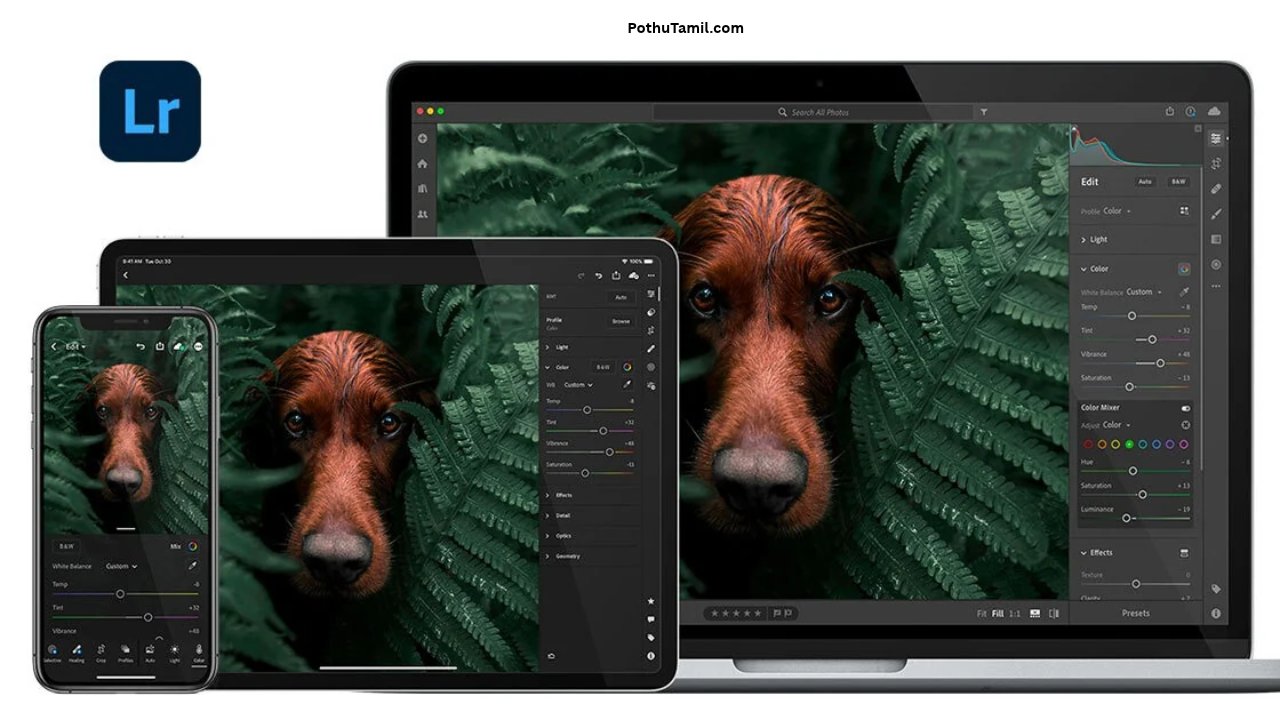
Adobe Lightroom is designed for photographers who need to organize, edit, and manage collections of images. It offers a workflow focused on photo adjustments, colour refinement, and image organization across supported devices.
For photographers handling large numbers of photographs, Lightroom may be more appropriate than using Photoshop for every image. Photoshop and Lightroom can also complement each other when a project requires both photography management and detailed image manipulation.
Creative Cloud for Professional Teams
Businesses and creative agencies may need more than a single photo editing application. A broader Creative Cloud subscription can provide access to multiple Adobe applications, depending on the selected plan.
This may be useful for teams producing product photography, digital advertisements, social media content, website graphics, and video campaigns. Businesses should evaluate licensing terms, user requirements, storage needs, and collaboration workflows before choosing a subscription.
Who Should Use Adobe Online Photo Editor?
The Adobe online photo editor can support different types of users, depending on the features they need.
Freelance designers can use browser-based Photoshop for selected image editing tasks when they need access to layers, retouching, and other advanced controls. It can also help them continue compatible projects without installing the desktop application on every device.
Photographers may use online editing for quick corrections and smaller adjustments. Those managing professional photo collections may prefer to combine Photoshop with Lightroom for a more complete workflow.
Ecommerce businesses can use image editing to prepare product photographs, remove distracting backgrounds, and create consistent visual assets. Since product images influence how customers understand an item, businesses should maintain accurate colours and avoid edits that misrepresent the product.
Marketing teams can use the Adobe online photo editor to prepare campaign graphics, promotional images, and website visuals. For larger teams, a suitable Creative Cloud plan may help standardize the tools used across creative projects.
System Requirements and Supported File Formats
Since browser-based editing depends on the web environment, users should work with an up-to-date supported browser and a reliable internet connection. Adobe identifies modern browsers such as Google Chrome, Microsoft Edge, and Mozilla Firefox among the browsers supported for Photoshop on the web.
Photoshop on the web supports common formats including JPEG, PNG, and PSD. Upload restrictions can apply to file size and image dimensions, so users should check the current requirements before importing large photographs.
A stable connection is important when working with cloud documents or AI-powered editing features. Users handling sensitive business images should also review Adobe’s terms, privacy information, and organizational data-handling requirements before uploading files.
Adobe Online Photo Editor for Business and Commercial Projects
Businesses often require photo editing software that can support regular production rather than occasional image improvements. The Adobe online photo editor can be useful for preparing website images, ecommerce visuals, advertising creatives, and branded content.
For professional use, the decision should not depend only on the subscription price. Teams should consider editing requirements, the number of users, file compatibility, cloud storage, collaboration needs, and the time required to complete each project.
An ecommerce company that mainly needs background removal may have different requirements from a creative agency producing layered advertising designs. Selecting a plan based on actual workflow requirements can help avoid paying for tools that are rarely used.
Businesses should also maintain consistent image quality and follow licensing requirements for photographs, fonts, stock assets, and other creative materials used in commercial projects.
Adobe Online Photo Editor vs. Desktop Photoshop
The browser-based version is convenient when users need to edit images without installing the desktop application. It supports several important editing features and can be suitable for many everyday creative tasks.
Desktop Photoshop remains relevant for workflows that depend on its broader collection of advanced tools, plugins, specialized controls, and complex production processes. Some features available in the desktop application may not be available in the web version or may work differently.
Professional users should compare both environments before moving an entire workflow online. The web version is a practical option for flexibility, while desktop Photoshop may remain the better choice for demanding projects that require the full application.
How to Get Started with Adobe Online Photo Editor
To begin, visit Adobe’s official Photoshop online page and review the available editing options. Sign in or create an Adobe account if the selected service requires it.
Choose a supported image file and upload it through the browser interface. Once the image opens, explore the available editing tools and make adjustments according to the purpose of the photograph.
Review the final result at an appropriate zoom level, paying attention to edges, colours, shadows, and image quality. When the edits are complete, use the available export or save options to keep the finished image.
For regular professional work, compare Adobe’s current subscription plans and confirm that the selected plan includes the applications and features needed for your projects.
Conclusion
The Adobe online photo editor offers a flexible way to edit photographs through a browser, with options ranging from quick image improvements to more advanced Photoshop web workflows. Features such as AI-powered editing, background replacement, retouching, colour adjustments, and layers can support creators, photographers, and businesses with different visual content requirements.
Photoshop Express online is suitable for simpler editing tasks, while Photoshop on the web provides more control for detailed projects. Users who regularly manage photography collections may also benefit from Lightroom, and professional teams can evaluate broader Creative Cloud subscriptions based on their production needs.
Choosing the right Adobe online photo editor option comes down to the complexity of the work, required features, budget, and preferred workflow. Reviewing the current plan details and testing the available tools can help users make a more informed decision.