
Introduction
Adobe Photoshop and Illustrator are two widely used professional design applications for businesses, photographers, graphic designers, digital artists, and creative agencies. Although both applications belong to Adobe’s Creative Cloud ecosystem, they are designed for different creative requirements. Understanding how Adobe Photoshop and Illustrator work, what their professional features offer, and when to use each application can help individuals and businesses choose the right design software.
Adobe Photoshop is primarily used for photo editing, image manipulation, digital artwork, and raster-based graphic design. Adobe Illustrator focuses on vector graphics, logo creation, typography, brand identity, and scalable illustrations. Both applications support professional creative projects, but their capabilities are different.
For businesses investing in professional graphic design software, the decision involves more than comparing editing tools. Subscription costs, commercial licensing, workflow requirements, file compatibility, team collaboration, and long-term production needs also matter. This guide explains Adobe Photoshop and Illustrator in detail, including their features, professional applications, subscription options, and business value.
What Are Adobe Photoshop and Illustrator?
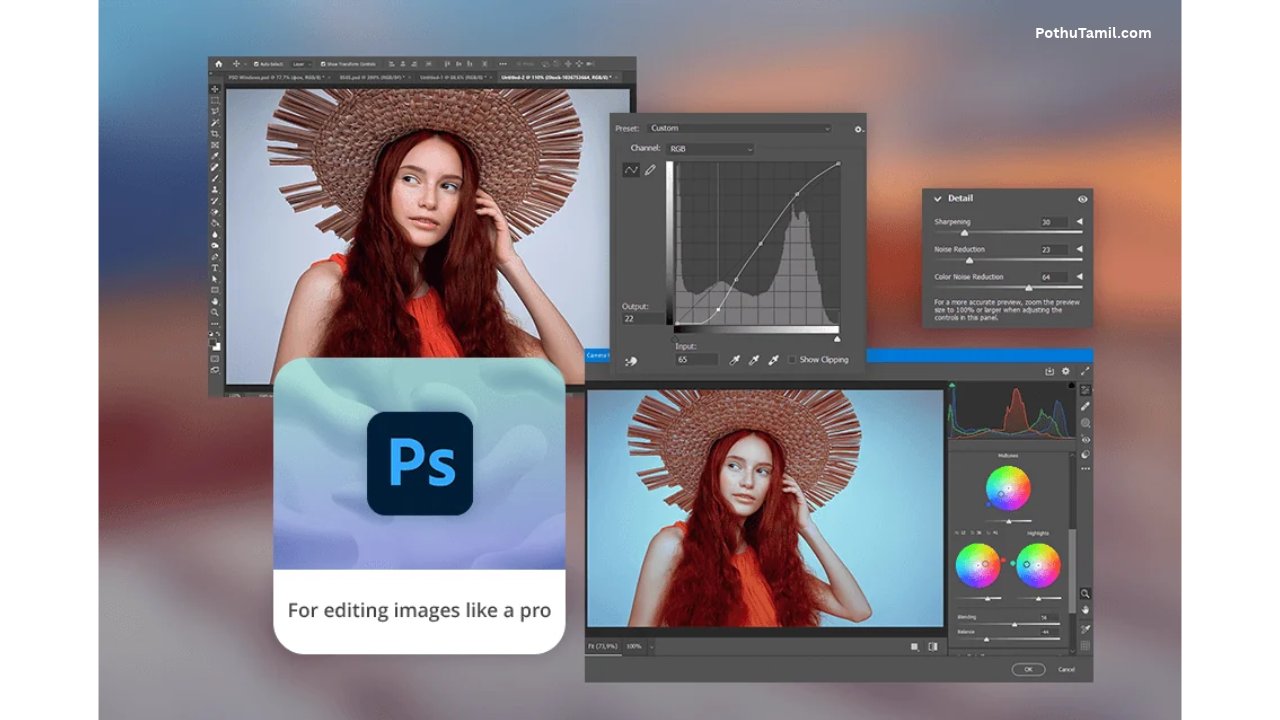
Adobe Photoshop is a professional image editing application used to create, modify, and enhance digital images. Photographers use it for retouching, colour correction, image restoration, and advanced photo manipulation. Designers also use Photoshop to create advertising graphics, website visuals, product images, and digital artwork.
Photoshop works primarily with raster graphics, which are made up of individual pixels. This makes it suitable for photographs and detailed visual compositions containing textures, shadows, gradients, and complex colour variations.
Adobe Illustrator is a professional vector graphic design application. It allows designers to create artwork using mathematical paths, points, lines, curves, and shapes. Vector graphics can be resized without losing their original sharpness, making Illustrator useful for business logos, icons, packaging designs, illustrations, and professional branding.
When used together, Adobe Photoshop and Illustrator provide a more complete creative workflow. Designers can create scalable brand assets in Illustrator and combine them with photographs and detailed image compositions in Photoshop.
Adobe Photoshop Features for Professional Image Editing
Advanced Photo Retouching
Photo retouching is one of Photoshop’s most important professional capabilities. Photographers and commercial image editors use it to improve portraits, product photographs, promotional images, and advertising visuals.
Photoshop includes tools for removing unwanted objects, correcting imperfections, adjusting lighting, refining skin details, and improving image quality. Layer masks and adjustment layers allow users to make changes without permanently modifying the original image.
For businesses, professional photo retouching can improve the appearance of ecommerce product images, website photography, brochures, and advertising campaigns. Consistent image quality is particularly important for brands that publish visual content across several marketing channels.
AI-Powered Image Editing
Adobe Photoshop includes AI-powered editing features that can help reduce repetitive editing work. Tools such as Generative Fill and Generative Expand allow users to modify image content or extend a photograph beyond its original boundaries.
The Remove Tool can help eliminate unwanted elements from photographs, while selection and masking features provide control over specific image areas.
These capabilities are useful for creative agencies, product photographers, and marketing teams working with large collections of images. However, AI-generated changes should be reviewed carefully before using them in commercial photography, especially when accurate product representation is important.
Professional Colour Correction
Colour correction is essential for professional photography and commercial image production. Photoshop provides controls for adjusting brightness, contrast, exposure, colour balance, and other image characteristics.
Photographers can use these tools to maintain a consistent visual appearance across a collection of images. Advertising designers can also adjust colours to match brand guidelines and campaign requirements.
For professional production, colour consistency should be checked across the final output devices and publishing platforms.
Layer-Based Image Composition
Photoshop uses layers to organize different elements within a design. A document can contain photographs, text, graphics, adjustment layers, masks, and other visual components.
This structure makes complex editing easier because individual elements can be modified without rebuilding the entire design. It is particularly useful for advertising compositions, product mockups, website banners, and promotional artwork.
Smart Objects and non-destructive editing workflows can also help designers preserve source content while making revisions.
Commercial Graphic Design
Photoshop is not limited to photography. Businesses use it to produce digital advertisements, social media graphics, website banners, product mockups, and marketing materials.
A creative team can use Photoshop to combine product photographs, promotional text, background graphics, and visual effects into a finished advertising design.
For companies that depend on professional visual communication, these capabilities can support regular content production and brand presentation.
Adobe Illustrator Features for Professional Graphic Design
Vector Logo Creation
Adobe Illustrator is particularly valuable for professional logo design. Its vector tools allow designers to create shapes, curves, symbols, and custom lettering that can be resized without losing clarity.
A business logo may appear on a website, mobile application, product label, business card, packaging, and large outdoor signage. Creating the original artwork as a vector design makes it easier to adapt the logo to these different formats.
Illustrator also supports precise editing of paths and anchor points, helping designers refine logo shapes and maintain consistent proportions.
Professional Typography
Typography is an important part of branding, advertising, packaging, and corporate communication. Illustrator provides tools for arranging text, adjusting letter spacing, creating custom lettering, and placing text along paths.
Designers can use these capabilities to create brand wordmarks, promotional headlines, product labels, posters, and professional marketing graphics.
For companies developing a visual identity, typography consistency can help maintain a recognizable brand appearance across different materials.
Scalable Vector Illustrations
Illustrator is designed for creating scalable vector artwork. Unlike ordinary pixel-based graphics, vector illustrations can be enlarged or reduced without losing their original sharpness.
This is useful for businesses that need the same artwork in multiple sizes. For example, a company may use one vector illustration for a small website icon and a large printed banner.
Illustrator’s drawing tools also support icons, diagrams, product illustrations, infographics, and technical artwork.
Packaging and Print Design
Packaging design requires accuracy in dimensions, layout, typography, and artwork placement. Illustrator provides vector tools that help designers prepare labels, product packaging, and print graphics.
Professional designers can create artwork that is adapted to different packaging sizes while maintaining consistent branding.
Before sending a design for production, users should check document dimensions, bleed requirements, colour settings, and the printer’s preferred file format.
AI-Assisted Vector Design
Illustrator includes generative and AI-assisted features designed to support vector-based creative work. Depending on feature availability and subscription access, users can explore tools for generating artwork, recolouring designs, and developing vector graphics.
These features can help designers experiment with creative directions and speed up selected production tasks. Final artwork should still be reviewed for accuracy, brand consistency, and licensing requirements.
Adobe Photoshop and Illustrator: Understanding the Main Differences
The most important difference between Adobe Photoshop and Illustrator is the type of graphics each application is designed to handle.
Photoshop is primarily a raster image editor. It works with pixels and is especially suitable for photographs, detailed textures, realistic effects, and image manipulation.
Illustrator is primarily a vector design application. It uses paths and mathematical shapes to create graphics that can be resized without losing clarity.
Photo Editing vs Vector Design
Photoshop is the stronger choice when a project involves editing an existing photograph. Its retouching tools, colour adjustments, masks, and image manipulation features provide detailed control over pixels.
Illustrator is more suitable when a project involves creating original vector artwork. It is commonly used for logos, icons, illustrations, typography, and scalable graphic assets.
A photographer preparing commercial product images will usually benefit more from Photoshop. A branding designer creating a company identity will generally benefit more from Illustrator.
Image Resolution and Scalability
Photoshop documents are often resolution-dependent. Enlarging a raster image beyond its original dimensions can reduce sharpness and create visible pixelation.
Illustrator’s vector artwork can be resized to different dimensions while maintaining clean edges. This makes it particularly useful for graphics that need to work across digital platforms and physical print materials.
However, Illustrator can also contain placed raster images, and Photoshop can work with some vector elements. The distinction is about each application’s primary workflow rather than an absolute limitation.
File Formats and Production Workflows
Photoshop commonly uses PSD as its native editable format. It also supports image formats such as JPEG, PNG, and TIFF.
Illustrator uses AI as its native editable format and supports formats such as SVG, PDF, and EPS for different design and production requirements.
The best export format depends on the intended use. A photograph for a website may require a raster image, while a logo intended for multiple sizes may benefit from a vector format.
Using Adobe Photoshop and Illustrator Together
Professional designers do not always need to choose only one application. Adobe Photoshop and Illustrator can complement each other within the same creative project.
For example, a branding agency can create a company logo in Illustrator and then place it into a Photoshop document containing a product photograph. The logo remains a separate design asset, while Photoshop provides detailed control over the photograph and final composition.
An ecommerce company can use Illustrator to create packaging artwork and brand icons, then use Photoshop to prepare product images for its online store.
Marketing agencies can also use Illustrator for vector illustrations and Photoshop for advertising compositions. This approach allows each application to handle the tasks it is best suited for.
For businesses producing regular visual content, combining both applications can support a more flexible professional design workflow.
Adobe Photoshop and Illustrator for Business Applications
Ecommerce and Online Retail
Ecommerce businesses depend on high-quality product images, consistent branding, and professional promotional graphics.
Photoshop can help ecommerce teams remove distracting backgrounds, retouch product photographs, correct colours, and prepare images for product listings.
Illustrator can support the same business by creating product labels, packaging graphics, logos, icons, and scalable brand assets.
Businesses should ensure that edited product images accurately represent the actual products being sold. Misleading visual edits can damage customer trust.
Digital Marketing and Advertising Agencies
Advertising agencies create campaign graphics, social media content, display advertisements, website banners, and promotional materials.
Photoshop is useful for photo-based campaign designs and detailed image manipulation. Illustrator supports vector illustrations, logos, typography, and graphics that need to be adapted to multiple advertising formats.
Agencies that produce a high volume of creative assets may benefit from having both applications available to their design teams.
Corporate Branding and Identity Design
Companies need consistent visual identities across websites, presentations, business documents, packaging, and marketing materials.
Illustrator is useful for creating the core brand assets, including logos, icons, and typography-based graphics. Photoshop can then be used to prepare branded photographs, promotional images, and realistic marketing mockups.
A professional brand identity workflow should also consider font licensing, image licensing, colour consistency, and access to editable source files.
Professional Photography and Creative Production
Photographers and image editing studios often use Photoshop for detailed retouching, colour correction, and image composition.
Illustrator becomes useful when photography projects also require logos, vector illustrations, diagrams, or custom graphic elements.
For commercial photography businesses, the software decision should consider editing volume, client requirements, delivery formats, and the complexity of each project.
Adobe Photoshop and Illustrator Subscription Plans and Licensing
Choosing professional design software is also a purchasing decision. Individuals and businesses should evaluate subscription costs, included applications, licensing terms, cloud storage, and AI feature availability before selecting an Adobe plan.
Adobe offers individual application subscriptions as well as broader Creative Cloud options. The available plans and prices vary by country, billing arrangement, customer category, and promotional terms.
Photoshop Subscription for Professional Image Editing
A Photoshop subscription is suitable for photographers, image editors, digital artists, and designers who mainly work with raster graphics.
Depending on the selected plan, Photoshop access may include desktop, web, and mobile experiences, cloud storage, and a specified allowance for generative AI features.
Professionals should review the current plan details to confirm which features are included and whether the subscription meets their production requirements.
Illustrator Subscription for Vector Design
An Illustrator subscription is suitable for graphic designers, branding specialists, illustrators, and businesses that need professional vector artwork.
The application supports logo design, typography, vector illustrations, packaging artwork, and scalable graphics.
Businesses should check the current licensing conditions, included services, storage, and generative feature limits before purchasing.
Creative Cloud Plans for Multiple Applications
Businesses and creative professionals who regularly use multiple Adobe applications may consider a broader Creative Cloud subscription.
Depending on the selected plan, Creative Cloud can provide access to Photoshop, Illustrator, and other applications for photography, video editing, graphic design, and document production.
For a creative agency, having access to multiple applications may be more practical than purchasing separate tools for different production requirements.
However, the decision should be based on actual usage. A business that only needs occasional photo editing may not require a multi-application subscription.
Business Licensing and Team Management
Companies purchasing software for employees should consider business licensing rather than treating every subscription as an individual purchase.
Adobe’s business plans can include features such as centralized license administration, administrative controls, and business support, depending on the selected product and plan.
Organizations should review the number of required licenses, employee access, ownership of creative assets, account management, and renewal conditions.
For agencies handling client projects, licensing and asset permissions should be checked carefully before using software, fonts, stock images, or other creative resources in commercial work.
How Much Do Adobe Photoshop and Illustrator Cost?
Adobe subscription prices can change, and the cost depends on the selected application, country, billing period, and plan type.
For example, Adobe’s India Photoshop page has listed an individual Photoshop plan at ₹733.96 per month, with an introductory annual-billing offer at ₹599 per month including GST at the time of checking. These figures and promotional terms can change, so users should verify the current price before subscribing.
Illustrator pricing should also be checked separately on Adobe’s official India pricing page. Users comparing the two applications should look at the full subscription cost rather than relying on a temporary discount.
For businesses, the total cost may include multiple user licenses and additional applications. It is important to calculate the annual software budget, renewal price, and cancellation conditions before purchasing.
System Requirements and Compatibility
Photoshop and Illustrator are professional desktop applications that require compatible hardware and operating systems. Users should review Adobe’s current system requirements before installation.
Computer memory, processor performance, graphics hardware, and available storage can affect the experience when working with large images or complex design documents.
Photoshop projects containing many layers and high-resolution photographs may require more system resources. Illustrator documents with complex vector artwork, effects, and multiple artboards can also demand sufficient hardware capacity.
Businesses purchasing computers for design teams should consider software requirements alongside other production needs. Selecting suitable hardware can help reduce workflow interruptions and improve productivity.
Which Software Should You Choose for Your Professional Work?
The right choice depends on the type of creative work you perform.
Photographers, image editors, and digital artists who need detailed photo manipulation should prioritize Photoshop. Its editing tools are designed for working with photographs, pixel-based artwork, and complex visual compositions.
Graphic designers, logo creators, and branding specialists should consider Illustrator. Its vector tools are more suitable for scalable graphics, professional logos, typography, and illustration work.
Freelancers who provide several types of design services may eventually need both applications. Creative agencies, marketing departments, and ecommerce companies may also benefit from combining Photoshop and Illustrator when their workflows involve both photography and vector design.
Before subscribing, identify the tasks you perform regularly, compare the available plans, and test the applications against real project requirements.
Conclusion
Adobe Photoshop and Illustrator serve different but complementary roles in professional graphic design. Photoshop is primarily designed for photo editing, image manipulation, retouching, and raster-based creative work. Illustrator focuses on vector graphics, logo design, typography, illustrations, and scalable brand assets.
For photographers and image editors, Photoshop provides the tools needed to refine photographs and create detailed visual compositions. For branding professionals and graphic designers, Illustrator offers a flexible environment for producing scalable artwork and professional identity systems.
Businesses that create marketing materials, product images, packaging, and brand graphics may find that using both applications provides a more complete production workflow. The right subscription should depend on project requirements, licensing needs, team size, and budget.
Ultimately, Adobe Photoshop and Illustrator are valuable professional tools when selected for the right purpose. Comparing their features, business applications, subscription options, and long-term value can help individuals and organizations make a more informed investment in creative software.